
Transform a single vocal track into layered arrangements. No studio ensemble required.
The most iconic songs share one element: vocal arrangements that create depth, emotion, and memorability. From layered Beatles harmonies to Billie Eilish's stacked vocals, these elements define a track's character. AutoTune Pro 11's Harmony Player makes professional-quality harmonies accessible with a few clicks.
Beyond Basic Pitch Correction
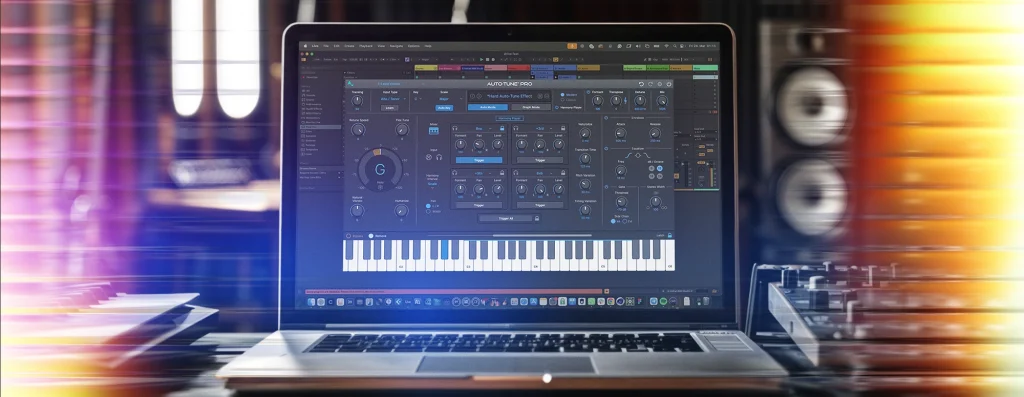
AutoTune's capabilities now extend far beyond fixing off-key notes. The Harmony Player represents a leap in vocal production, using the same algorithms that power our dedicated Harmony Engine plugin.
Generate up to four additional vocal parts from a single performance. Independent pitch, formant, and panning for each voice. Instant results that would traditionally require multiple recording sessions and meticulous editing. The core AutoTune interface remains visible even while using Harmony Player, so your pitch correction settings stay within reach.
Learn all about the new features on the AutoTune Pro 11 product page.
Designing Your Vocal Arrangement
Creating compelling harmonies isn't just adding notes. It's designing a complete vocal landscape. The Harmony Player gives you control through several key features:
Scale-Aware Harmony Generation
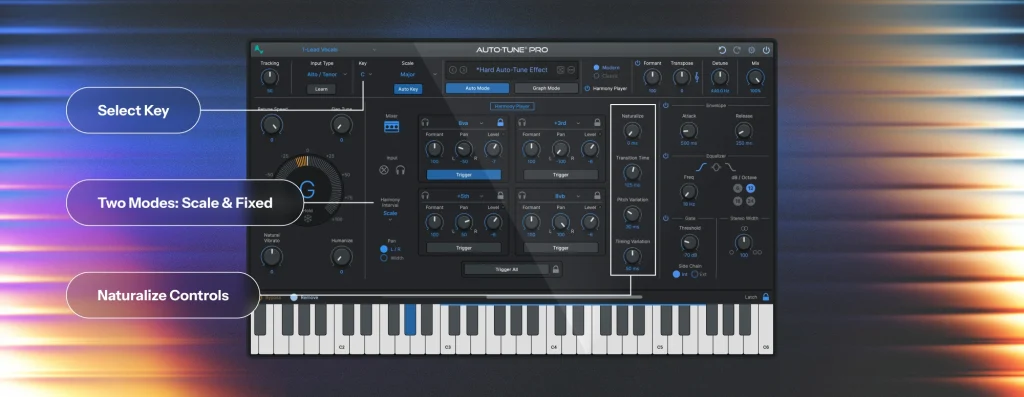
Two distinct interval modes: Scale and Fixed. Scale mode generates harmonies based on your song's musical scale. Select your key and scale type, and the harmonies follow musically appropriate intervals within that scale - seconds, thirds, fourths, and beyond.
Fixed mode works chromatically, allowing precise half-step intervals regardless of key. You must select a key before activating the feature. The plugin needs to know what notes to create.
For trap and hip-hop producers, this means adding harmonic layers to melodic rap sections. Pop producers can quickly thicken choruses with thirds and fifths that enhance emotional impact. Experimental genres benefit from choosing between scale-based and chromatic approaches.
Voice Character Customization
Each harmony voice can be individually shaped using a comprehensive set of controls:
- Formant Adjustment: Shift formants independently of pitch to create the impression of different singers. Shift downward for darker, more masculine tones that make the voice sound bigger.
- Level Control: Each voice has independent level adjustment. Perfect balance in your vocal stack.
- Naturalization Controls: Make harmonies sound organic with dedicated knobs for Naturalize, Transition Time, Pitch Variation, and Timing Variation. These settings introduce subtle imperfections that mimic what happens naturally when singers harmonize. We're never perfectly on pitch or time. These variations make your stack sound authentic.
- Solo Monitoring: Use the headphone icon to solo any voice, making it easy to hear what each layer contributes.
These controls create the illusion of a complete vocal ensemble from a single performance. Perfect for producers without access to multiple singers or artists who want consistent vocal character across all parts.
Spatial Positioning and EQ Control
Sophisticated vocal arrangements utilize the stereo field for dimension and separation. The Harmony Player includes intuitive panning controls for each voice.
Try this technique: position unison doubles hard left and right while keeping thirds centered. Creates an immersive vocal spread that enhances width without sacrificing clarity. For more dramatic effect, pan complementary harmonies (like a third up and a third down) to opposite sides.
The built-in EQ options shape your harmony stack. Choose between high-pass, band-pass, and low-pass filters to carve out the frequency range where you want harmonies to sit. Useful for filtering low-end that can muddy your mix or isolating specific ranges for special effects. When using band-pass, widen the Q to focus on the vocal's main frequency region (typically around 900Hz-1kHz) and adjust volume independently.
Real-World Applications
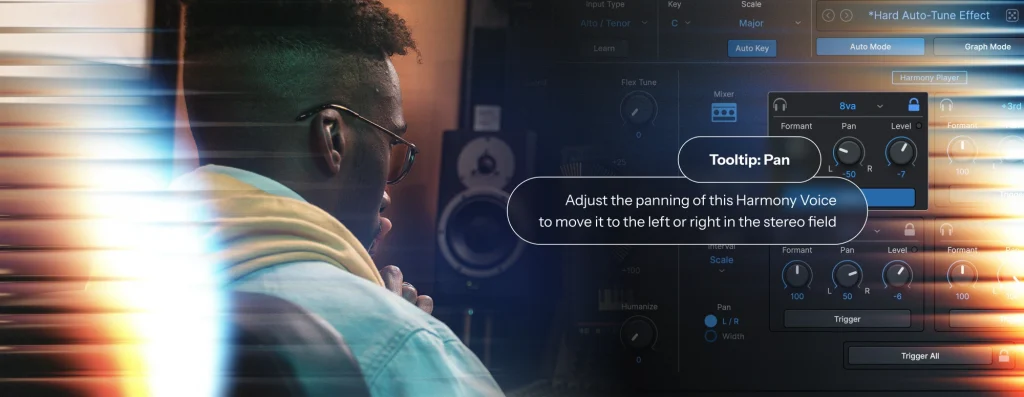
The Harmony Player works across virtually every genre. Helpful hover-over tooltips for every control make learning intuitive. Place your cursor over any knob or button for a description.
Doubling Techniques
For instant width, set up unisons panned left and right. Creates a classic doubled effect that immediately makes vocals feel bigger without changing melody or harmony. Add subtle formant shifting to make doubles sound like distinct performances rather than copies.
The Trigger and Lock buttons control when harmonies activate. With Lock enabled, harmony voices remain constantly on. Without Lock, activate them momentarily with the Trigger button - perfect for emphasizing specific phrases. For more dynamic control, automate the Trigger function to activate harmonies only on certain sections.
Harmony Stacking for Melodic Sections
Modern trap and hip-hop rely on layered vocal effects. Try adding complementary thirds (both up and down) to create instant harmony layers that enhance the emotional impact of hooks.
Not every melody note works with the same harmony interval. This is why the Trigger function matters. Selectively apply harmonies only to notes where they sound musical, creating dynamic arrangements that emphasize key phrases while leaving others unaffected.
Creating Choir and Pad Effects
For soulful, rich vocal pads reminiscent of R&B backing vocals, apply the Harmony Player to sustained vowel sounds like "oohs" and "aahs." Creates an instant choir effect that adds tremendous depth.
For these applications, use the naturalization controls: Naturalize, Transition Time, Pitch Variation, and Timing Variation. These introduce subtle imperfections that make stacks sound like real singers rather than digital effects. Combined with formant shifting, you create the illusion of an entire backing section from a single performance.
Stereo Enhancement and Creative Effects
For stereo tracks, the dedicated widening control dramatically enhances spatial dimension. Not available for mono tracks (where it wouldn't make sense), it provides another tool for creating immersive arrangements.
The built-in gate function adds precision, shaping when harmonies appear based on input signal level. Combined with EQ options and formant shifting, this creates opportunities for novel sound design beyond traditional harmonies - perfect for electronic producers looking to create signature vocal textures.
Getting Started with Harmony Player
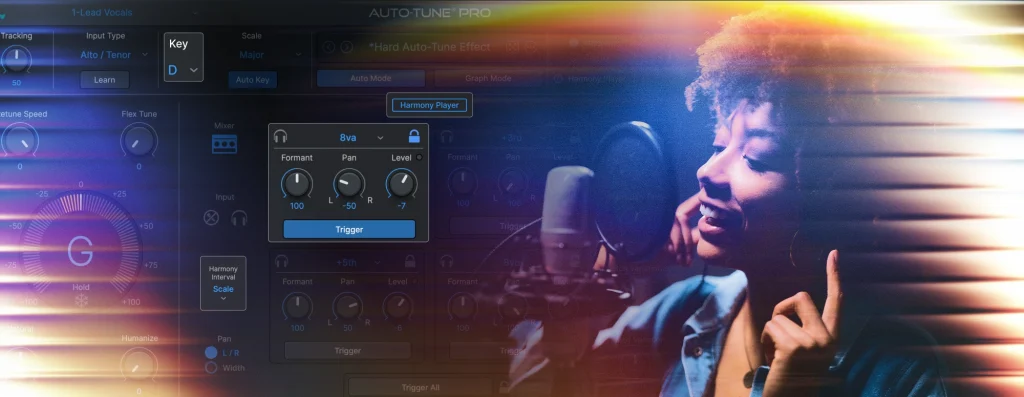
What makes the Harmony Player different is its intuitive workflow and powerful controls:
- Select your key in the main AutoTune interface (e.g., D Major). Essential - the Harmony Player won't activate until you define a key.
- Click the Harmony Player button, then turn it on using the power button. Everything stays grayed out until you do this.
- Choose between Scale mode (diatonic intervals based on your key) or Fixed mode (chromatic intervals regardless of key).
- Activate individual voices by turning them on and selecting desired intervals. Solo any voice using the headphone icon to hear its contribution.
- Experiment with formant shifting, panning, and level adjustments to create the perfect blend.
- Use Lock and Trigger buttons to control when harmonies are active - either constantly (with Lock) or selectively (using Trigger manually or via automation).
This straightforward workflow quickly creates sophisticated vocal arrangements that would traditionally require multiple singers or sessions.
Workflow Integration and Advanced Techniques
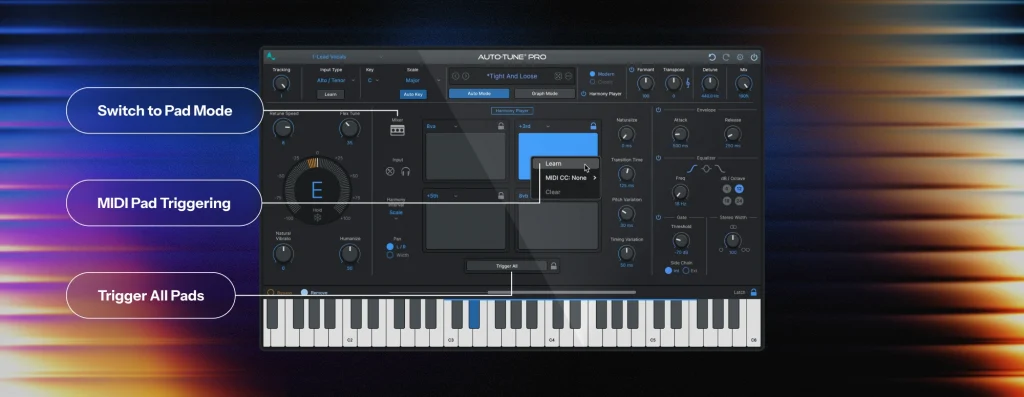
The Harmony Player seamlessly integrates into your existing AutoTune workflow. The interface includes a condensed view of main AutoTune settings, ensuring you never lose sight of pitch correction parameters while working with harmonies. This design maintains creative flow without forcing you to switch between views.
One powerful workflow feature is automating the Trigger function. This activates harmonies only on specific words or phrases where they make musical sense. Rather than applying the same harmony throughout, create dynamic arrangements that emphasize key moments and build contrast between sections.
For advanced productions: Combine different harmony approaches. Use unison doubles throughout verses for subtle width, then introduce thirds during choruses for dramatic lifts. The filter options shape each section differently - perhaps high-pass filter on verse harmonies for thinner texture, then full-frequency harmonies in choruses for maximum impact.
Creative Experimentation
The Harmony Player inspires experimentation. Even simple applications like adding unison doubles or complementary thirds transform your vocal sound. The magic happens when you combine techniques to create unique textures.
Try this approach: Create a lush pad from sustained vowels by applying multiple harmony voices with formant shifting and naturalization. This instantly creates a choir-like effect that adds depth - all from a single take. Add reverb, and you'll create atmospheric textures that become the foundation for entire sections.
Use the solo feature frequently as you build arrangements. Hear exactly what each voice contributes and make precise adjustments. Explore the hover-over tooltips for guidance as you master this tool.
A New Era of Vocal Production
With the Harmony Player, we've simplified what was once among the most time-consuming aspects of professional vocal production. What previously required multiple sessions, comping takes, and painstaking alignment now happens with a few adjustments to a single well-performed vocal.
From simply activating your key to creating complex arrangements with multiple voices, formant shifting, and naturalization, the interface guides you through each step with intuitive controls.
The Harmony Player becomes addictive. Once you start experimenting, you'll apply it in increasingly innovative ways. From subtle doubling to full choir textures, from selective phrase enhancement to complete vocal transformations, this tool expands what's possible for independent artists, small studios, and producers working with tight deadlines.
AutoTune Pro 11 with the integrated Harmony Player is available now as part of AutoTune Unlimited or as a standalone purchase. Try it free with our 14-day trial and start using the best vocal tuning in the industry. Transform your vocal productions from one-dimensional to richly layered arrangements that define your sonic signature.

Exclusive AutoTune Content

AutoTune Pro


AutoTune Unlimited

AutoTune 2026 and Metamorph
Now Included
Written by: Brian Davitt
Senior Manager, GTM at AutoTune
Brian has 15+ years of experience in the music industry, transitioning from his early 2000s roots touring with bands to becoming an audio engineering professional after earning his degree in 2011. Before joining AutoTune, Brian built his expertise working with legendary music technology brands including M-Audio, HeadRushFX, and Akai Pro. When he's not developing marketing strategies for AutoTune, Brian rocks out with his Math Rock band Between 3&4.