


The Best Cloud-Based Audio Production Integrations for DAWs in 2026
August 6, 2026
Read time: 8 mins
The four categories that matter for DAW producers are cloud plugin licensing, cloud collaboration, streaming sample libraries, and cloud mastering. AutoTune Unlimited delivers the most frictionless cross-device plugin access for vocal production, activating the full catalog on every Mac or Windows machine on your account via VST3, AU, and AAX. Splice is the most tightly integrated cloud sample and project tool for Ableton users. Avid Cloud Collaboration is the most complete option for real-time multi-user session editing in Pro Tools. LANDR returns a mastered track fast without a studio mastering budget. The guide below covers every major tool across all four categories.
Cloud integration in music production used to mean one thing: uploading a session file to Dropbox so your collaborator could download it. In 2026 it means something considerably more useful. Plugin licensing activates across every machine you own from a single account. Collaboration tools let producers in different cities work on the same session in real time. Cloud mastering delivers a finished track in minutes. Sample libraries stream on demand rather than eating 500GB of your local drive.
The tools that actually deliver on this vary widely in how well they connect to a DAW-based workflow. Some are browser-only and require exporting stems to use them. Others install natively and sync invisibly in the background. That difference matters when you're in the middle of a session and the tool you need should be inside your workflow, not sitting alongside it waiting for an export.
Which Cloud Audio Tools Actually Work Inside a DAW Workflow?
The most useful distinction in the cloud audio tool category is between integrations that live inside your DAW and ones that require you to step outside it. Native integrations, meaning tools that install as plugins or companion applications connecting directly to your host, include plugin subscription services like AutoTune Unlimited and Plugin Alliance, and sample streaming platforms like Splice. You use them from inside your session without breaking your workflow.
Export-based integrations, including LANDR and most cloud mastering services, require you to bounce a sterile file and upload it through a browser. Browser-native DAWs like Soundation and BandLab are their own category: the DAW itself is the cloud tool rather than being a companion to an existing desktop session.
Understanding which category a tool falls into tells you whether it fits into your existing workflow or requires you to build a new one around it. For professional producers working in Logic Pro, Ableton Live, Pro Tools, or any other desktop DAW, native integrations are the ones worth prioritizing. The export-and-upload tools are still useful, but they operate at the edge of the session rather than inside it.
Which Cloud Audio Production Tool Is Right for Your Workflow?
The right tool depends on where the need is in your workflow. Plugin licensing is a per-account concern that affects every session you run. Sample libraries are a daily-use tool that lives in your browser panel. Collaboration needs depend on whether your workflow is synchronous or asynchronous. The tables below break down the category by use case.
Best Cloud Audio Production Tools at a Glance
| Use Case | Best Pick |
| Best cloud plugin licensing | AutoTune Unlimited / Plugin Alliance |
| Best cloud sample library | Splice |
| Best cloud collaboration DAW | Soundation / BandLab |
| Best cloud mastering | LANDR |
| Best DAW with cloud session sync | Logic Pro + iCloud / Ableton + Splice |
| Best cloud session storage | Splice / Dropbox |

Full Comparison: Cloud Audio Production Integrations 2026
| Tool | Type | DAW Integration | Cloud Feature | Price |
| AutoTune Unlimited | Plugin licensing | VST3 / AU / AAX | Cross-device activation, automatic updates | Subscription |
| Splice | Samples + project storage | Ableton native; others via app | Sample streaming, version history, rent-to-own plugins | Subscription |
| Plugin Alliance | Plugin licensing | VST3 / AU / AAX | Cloud license management, broad third-party catalog | Subscription |
| LANDR | Cloud mastering + distribution | Browser (upload / download) | AI mastering, streaming distribution | Subscription |
| Soundation | Browser DAW | Browser-native | Real-time collaboration, cloud sessions | Free + paid |
| Browser / mobile DAW | Browser and mobile | Cloud sessions, real-time collaboration | Free | |
| Avid Cloud Collab | DAW session sharing | Pro Tools native | Real-time multi-user session editing | Pro Tools subscription req. |
| Waves | Plugin licensing | VST3 / AU / AAX | Cloud activation, catalog management | Subscription |
Which Cloud Plugin Licensing Model Is Best for DAW Producers?
AutoTune Unlimited delivers the most complete cross-device plugin catalog for vocal-focused DAW workflows, activating AutoTune 2026, Harmony Engine, the AVOX bundle, and the full catalog across Mac and Windows via VST3, AU, and AAX. Licenses are managed through the AutoTune Central app using PACE iLok — the industry standard for plugin licensing — keeping activation secure and straightforward across machines.
AutoTune Unlimited
AutoTune Unlimited uses PACE iLok for license management, activated through the AutoTune Central app on Windows and macOS. AutoTune 2026, Harmony Engine, the AVOX bundle, and every other plugin in the catalog are available across any machine on your account. PACE iLok is the industry standard for plugin licensing, and the iLok hardware dongle is not required — licenses can be held in iLok Cloud or on the local machine via the AutoTune Central app. The subscription also covers automatic updates: the rebuilt pitch detection engine in AutoTune 2026, the efficiency improvements at 48kHz, and every future update reach your machine as part of the subscription rather than requiring a paid upgrade.
Plugin Alliance
Plugin Alliance operates a similar cloud subscription model covering a broad catalog of third-party plugins from multiple developers. The subscription activates across machines with cloud-managed licensing, making it a practical option for producers building a diverse plugin library without managing individual license files across devices. The catalog breadth is Plugin Alliance's primary advantage: it consolidates a wide range of third-party plugins under one subscription and one activation system.
Waves
Waves moved to a cloud-based subscription model in recent years, with the Waves application handling updates and activations centrally and plugins accessible on any machine linked to your account. The transition from Waves' previous per-version, machine-tied licensing model was significant for producers with large Waves libraries. The subscription consolidates access management and removes the version fragmentation that came with owning perpetual licenses across multiple Waves generations.
What Are the Best Cloud Collaboration Tools for DAW Sessions?
Avid Cloud Collaboration is the most complete option for professional multi-user session editing, operating natively inside Pro Tools rather than through a browser or a third-party app. Splice handles asynchronous project sharing across DAWs with version history built in. Browser-native platforms like Soundation and BandLab deliver real-time collaboration without any installation, at the cost of a reduced feature set relative to desktop production.
Avid Cloud Collaboration (Pro Tools)
Avid Cloud Collaboration allows multiple Pro Tools users to work on the same session simultaneously from different locations, with each contributor able to record and edit their own tracks while the session owner maintains the main timeline. It is the most fully featured cloud collaboration option for professional studio workflows, and it operates inside Pro Tools rather than requiring producers to move sessions into a browser environment. The requirement that all participants hold active Pro Tools and Avid subscriptions limits its accessibility, but for sessions where professional-grade multi-user editing is the priority, no other tool operates at the same level inside a traditional DAW.
Splice
Splice's project sharing focuses on asynchronous collaboration through shared session files and version history maintained in the cloud. Upload a session, share a link, and a collaborator downloads it and continues the project from where you left off. For Ableton Live users, Splice's version history is automatic: the desktop app monitors your project folder and stores every saved version in the cloud, letting you roll back to any previous state without manual backups. Other DAWs are supported as generic archives rather than native session integration.
Soundation
Soundation is a browser-native DAW with real-time cloud collaboration built in from the ground up. Sessions live in the cloud, multiple users can edit simultaneously, and there is no installation step: invite a collaborator and they are in the session from any browser. That zero-friction setup is the main thing Soundation offers over desktop DAW collaboration tools. The feature set is more limited than a full desktop host, so Soundation is the right call for sessions where accessibility and ease of collaboration matter more than production depth.
BandLab
BandLab is a browser and mobile DAW with cloud-native sessions and real-time collaboration, primarily serving musicians and composers who want to share work-in-progress and receive contributions from collaborators quickly. Its free model and mobile availability make it the most accessible collaboration tool in the category. Like Soundation, the feature set reflects the browser and mobile context rather than professional desktop production, which makes it a better fit for creative collaboration and rough drafts than complex mixing sessions.
What Is the Best Cloud Sample Library and Session Storage Tool?
Splice is the most tightly integrated cloud sample library for DAW-based production, with sample streaming that loads directly into Ableton Live's browser panel and automatic version history for every project save. For producers working in any DAW, it also functions as a cloud backup and project-sharing platform, though the native integration is deeper in Ableton than anywhere else.
Splice
The most useful distinction in the cloud audio tool category is between integrations that live inside your DAW and ones that require you to step outside it. Native integrations, meaning tools that install as plugins or companion applications connecting directly to your host, include plugin subscription services like AutoTune Unlimited and Plugin Alliance, and sample streaming platforms like Splice. You use them from inside your session without breaking your workflow.
Export-based integrations, including LANDR and most cloud mastering services, require you to bounce a sterile file and upload it through a browser. Browser-native DAWs like Soundation and BandLab are their own category: the DAW itself is the cloud tool rather than being a companion to an existing desktop session.
Understanding which category a tool falls into tells you whether it fits into your existing workflow or requires you to build a new one around it. For professional producers working in Logic Pro, Ableton Live, Pro Tools, or any other desktop DAW, native integrations are the ones worth prioritizing. The export-and-upload tools are still useful, but they operate at the edge of the session rather than inside it.
What Is the Best Cloud Mastering Tool for Music Production?
LANDR is the leading cloud mastering option for producers who need a release-ready master without booking a mastering engineer, using an AI model trained on professionally mastered commercial releases to return a finished result within minutes of uploading a stereo mix.
LANDR
LANDR's AI mastering engine analyzes a stereo mixdown and returns a mastered version based on a model trained on professionally mastered commercial releases. The workflow is an export step that happens outside the DAW: bounce your mix, upload it to LANDR through the browser, and download the mastered result. There is no native DAW plugin. For producers who need a quick mastered reference or a release-ready master without a studio mastering budget, LANDR delivers results fast enough to be genuinely useful. For sessions where mastering decisions require specific iteration, a mastering engineer or a dedicated mastering chain inside the DAW gives you more control.
LANDR also handles distribution alongside mastering. Upload a mastered track and LANDR delivers it to streaming platforms, making it a practical end-to-end tool for independent artists releasing music without label support.
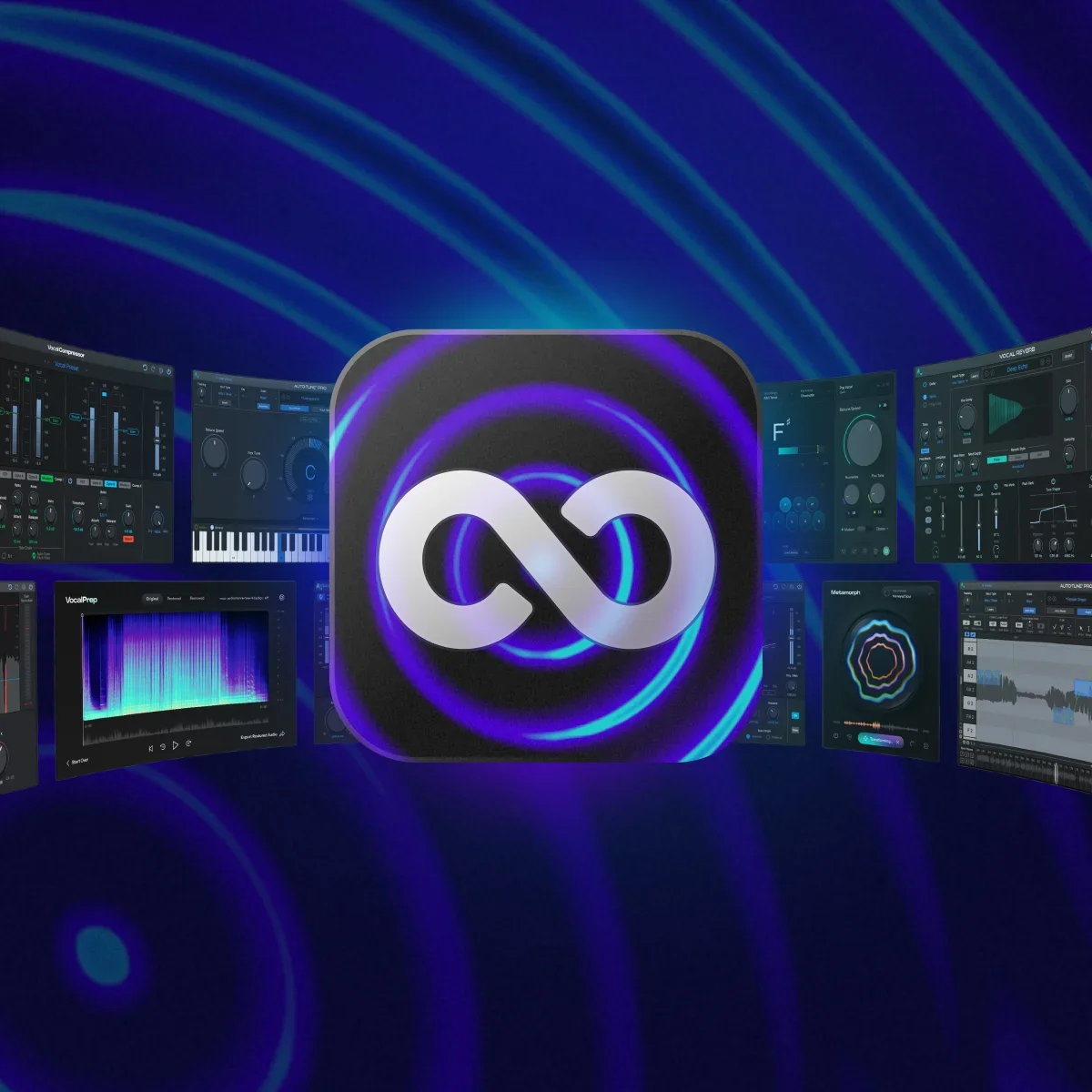
AutoTune 2026, Harmony Engine, and the full vocal plugin catalog are available through a single AutoTune Unlimited subscription alongside the complete AI-Powered Vocal Chain. Cloud licensing activates across every Mac or Windows machine on your account, with automatic updates and no license transfers required.
Key Takeaways
- AutoTune Unlimited activates the full vocal plugin catalog across every device on your account via VST3, AU, and AAX, with automatic updates and no iLok hardware or license transfer steps required.
- AutoTune 2026, Harmony Engine, and the AVOX bundle are available on any Mac or Windows machine through the AutoTune Unlimited subscription, with every update included as part of the plan.
- Splice is the most tightly integrated cloud tool for Ableton Live users, combining streaming samples, automatic project version history, and rent-to-own plugin access in one platform.
- Avid Cloud Collaboration is the most complete multi-user session editing option for professional workflows, operating natively inside Pro Tools rather than through a browser.
- LANDR combines cloud mastering with streaming distribution, making it a practical end-to-end tool for independent artists who need a release-ready master without a mastering engineer budget.
- Browser-native DAWs like Soundation and BandLab offer real-time cloud collaboration without installation, suited to accessible creative collaboration rather than complex mixing sessions.
Ready to Add Cloud Plugin Access to Your Workflow?
AutoTune 2026, Harmony Engine, and every plugin in the AutoTune catalog are included in AutoTune Unlimited. One subscription, cloud licensing across every machine you own, and every update included. Log in on your studio desktop, your laptop, or any other Mac or Windows machine and the full catalog is there.
Frequently Asked Questions
What is the best cloud-based audio production integration for DAW producers?
For plugin licensing and cross-device access, AutoTune Unlimited and Plugin Alliance both deliver cloud-managed activation that works across all major DAWs via VST3, AU, and AAX on Mac and Windows. For sample library streaming and project backup, Splice integrates most tightly into Ableton Live sessions. For real-time multi-user collaboration in a professional context, Avid Cloud Collaboration in Pro Tools is the most complete solution. Most professional studios use a combination of these tools rather than relying on any single platform.
Does AutoTune plugin licensing work across multiple computers?
Yes. The AutoTune Unlimited subscription uses cloud-based licensing that activates AutoTune 2026, Harmony Engine, the AVOX bundle, and every other plugin in the AutoTune catalog on any Mac or Windows machine tied to your account. There are no iLok hardware requirements and no manual license transfer steps. Log in on your studio desktop and your travel laptop and both machines have access to the full catalog. Automatic updates are included, so new versions reach every machine on your account without a separate download or purchase.
What is the difference between cloud plugin licensing and traditional iLok licensing?
Traditional iLok licensing ties plugin activations to a physical USB dongle or to a specific machine, which means transferring licenses manually when switching between computers and losing access if the dongle is lost or damaged. Cloud-based licensing, as used by AutoTune Unlimited and Plugin Alliance, ties activations to your account rather than to hardware or a specific machine. Any device where you are logged in has access to the full catalog. There is no hardware to manage, no transfer process, and no single point of failure for your plugin access.
Which cloud tool is best for real-time DAW collaboration?
For producers working inside a professional desktop DAW, Avid Cloud Collaboration in Pro Tools is the most complete real-time multi-user option, allowing each participant to record and edit their own tracks within a shared session while the session owner maintains the main timeline. For producers who do not use Pro Tools or who need collaboration without installation, Soundation and BandLab both deliver real-time cloud sessions in a browser without any setup. The tradeoff is feature depth: browser-native DAWs support creative collaboration at lower complexity levels than a full desktop host.
Does LANDR integrate directly with a DAW?
LANDR does not have a native DAW plugin. The workflow requires exporting a stereo mixdown from your DAW and uploading it to LANDR through the browser, then downloading the mastered result. The integration point is the export step rather than a live plugin insert. For producers who need to iterate on mastering decisions during a mix session, this export-and-return workflow is slower than using a dedicated mastering chain inside the DAW. For producers who need a fast, affordable mastered reference or a release-ready deliverable after the mix is complete, LANDR's turnaround time and AI mastering quality make the separate workflow practical.

Article by
Brian has 15+ years of experience in the music industry, transitioning from his early 2000s roots touring with bands to becoming an audio engineering professional after earning his degree in 2011. Before joining AutoTune, Brian built his expertise working with legendary music technology brands including M-Audio, HeadRushFX, and Akai Pro. When he's not developing marketing strategies for AutoTune, Brian rocks out with his Math Rock band Between 3&4.