

To remove background noise from a vocal recording, you need to identify the noise source, eliminate it at the origin when possible, then use a combination of noise gates and spectral noise reduction tools to clean what's left. AI-powered tools can handle most of this in one step by analyzing the recording and separating voice from noise automatically.
Noise removal always involves a tradeoff, though. Every processing tool that reduces noise also affects the vocal signal to some degree. Aggressive noise reduction introduces artifacts that make the voice sound hollow and digital. The best noise removal is the noise you never recorded in the first place.
What's Actually Causing the Noise
Knowing the source determines the fix.
| Noise Type | Best Tool |
| HVAC / air conditioning rumble | Turn off during takes; high-pass filter |
| Computer fan noise | Move computer to another room |
| Electrical hum (60 Hz / 50 Hz) | Balanced cables; ground lift DI box |
| Room reflections | Acoustic treatment; dynamic microphone |
| General background noise | Vocal Prep AI cleanup |
HVAC and Air Conditioning
HVAC systems produce a constant low-frequency rumble that condenser microphones love to pick up. It sits in the same frequency range as the low end of the human voice, which makes it difficult to remove without thinning the vocal. The fix is achieved by turning the system off during takes, recording your vocals, then turning it back on between sessions. Your vocal booth doesn't need to be comfortable, you just need it to be quiet enough for you to get the take done.
Computer fan noise
Computer fan noise is the home studio tax. High-performance workstations generate significant fan noise, especially during DAW sessions where the CPU is working hard. Moving the computer to a different room and running a longer cable to your audio interface is the cleanest solution. USB-C and Thunderbolt interfaces support cable runs long enough to make this practical.
Electrical Hum
Electrical hum at 60 Hz (North America) or 50 Hz (most of Europe) comes from ground loops in the recording chain. It shows up as a steady, tonal buzz rather than broadband noise. Balanced cables, a single power circuit for all gear and a DI box with a ground lift switch usually solve it.
Room Reflections
An untreated room with hard floors and bare walls is the sneaky source of noise that most people overlook, because it adds a boxy, hollow quality to every recording that isn't noise in the traditional sense. It's the sound of the room itself coloring the microphone signal. Acoustic treatment, even moving blankets hung on mic stands, reduces this significantly.
Preventing Noise Before You Hit Record
A few steps at the recording stage save hours of cleanup later, and prevention will always be more effective than trying to fix a noisy file after the fact.
Record in a treated or naturally quiet space. Carpet, soft furniture, curtains, and absorptive panels reduce both ambient noise and room reflections. You don't need a professional vocal booth. A closet full of clothes is one of the best improvised recording spaces on the planet because all that fabric absorbs reflections.
Use a dynamic microphone instead of a condenser in noisy environments. Dynamics are less sensitive and reject off-axis sound more aggressively. A Shure SM7B in an untreated bedroom will often capture a cleaner vocal than a $500 condenser in the same room, because it ignores what the condenser can't stop hearing.
Getting the vocalist closer to the microphone increases the ratio of direct vocal signal to ambient room noise. That higher signal-to-noise ratio gives every downstream tool cleaner material to work with. Keep levels peaking around -6 dBFS so you're getting a strong signal without clipping.
Cleaning Up a Noisy Recording
When prevention wasn't enough and you're stuck with a noisy file, you have options.
Noise Gates
Noise gates silence the signal when it drops below a set threshold. On a vocal with consistent background noise, a gate removes the noise during pauses between phrases where it's most audible. Set the threshold just above the noise floor. Dial the release to 150-250 ms so the gate closes naturally after each phrase ends. Too fast a release chops the tails of words. Too slow lets the noise creep back in.
Gates only work between phrases, though. They can't touch the noise that's present underneath the vocal performance itself. For that, you need spectral noise reduction.
Spectral Noise Reduction
Spectral noise reduction tools like iZotope RX analyze a sample of the background noise and subtract it from the signal. They work best on consistent, stationary noise: HVAC rumble, fan hiss, steady electrical hum. Variable sources like traffic or a dog barking in the next room are harder to isolate because the noise profile keeps changing.
Spectral reduction should be applied subtly, because heavy application introduces watery, metallic artifacts that sound worse than the original noise. The way to find the right threshold is to push the reduction until you hear the vocal start to degrade, then back it off until the voice sounds natural again. A/B the processed signal against the original frequently. Most engineers land somewhere around 40-60% of what the tool is capable of. If the vocal sounds like it's underwater, you've gone too far.
Removing Room Reverb
Room reverb is a different problem from broadband noise, and it requires different tools. Broadband noise sits behind the vocal as a constant layer of hiss or hum. Room reverb is the sound of the space itself: reflections bouncing off walls, floor, and ceiling that add a boxy or hollow coloring to the recording. A noise gate won't catch it because it's present during the vocal performance, not just between phrases. Spectral noise reduction tools aren't designed for it either, since reverb tails overlap with the frequencies of the voice itself.
The De-reverb processing is what handles this exact problem using tools such as iZotope RX, includes a De-Reverb module that analyzes the reverb characteristics of the recording and reduces the room sound without stripping the vocal, the key is restraint. Aggressive de-reverb makes the vocal sound dry and lifeless. Use it to tighten the space around the voice, not to eliminate the room entirely.
Free Tools for Noise Removal
If you're working on a tight budget, two free options can get you started. Audacity's built-in noise reduction effect lets you capture a noise profile from a silent section of the recording and subtract it from the full file. It handles steady-state noise like fan hiss and HVAC rumble reasonably well for a free tool. Adobe Podcast Enhance is a browser-based AI tool that cleans vocal recordings with a single upload.
The limitations show up quickly with either tool. Audacity's noise reduction struggles with variable noise and can introduce artifacts quickly if pushed past moderate settings. Adobe Podcast Enhance processes the entire file with no manual control over how aggressively it cleans, which means you're accepting whatever the algorithm decides. Neither tool integrates into a DAW workflow, so you're exporting, processing externally, then reimporting, which adds steps and potential quality loss with each round trip.
Vocal Prep
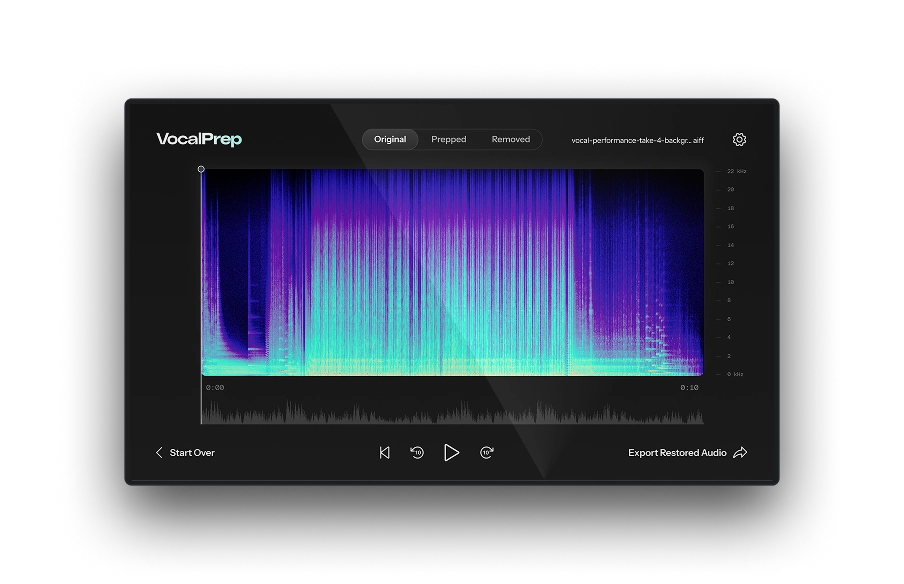
Vocal Prep uses AI to analyze a recording and separate voice from everything else. Drag in the file, click Clean Up and export. No noise profiling, no threshold adjustments, no round-tripping through external tools. The cleaned file drops straight into your DAW as the starting point for the rest of your processing chain.
Where you place the cleanup step in your chain matters just as much as which tool you use. Clean first, then correct pitch, then shape tone. Running pitch correction on a noisy signal forces the algorithm to track noise artifacts alongside the vocal, which introduces errors. Running compression on a noisy signal amplifies the noise during quiet passages. Starting with a clean signal means every plugin downstream, from AutoTune 2026 through EQ, compression, and de-essing, does its actual job instead of fighting the recording. AutoTune Unlimited includes Vocal Prep alongside the full vocal processing suite. Clean the signal, correct the pitch, shape the tone. All inside one subscription.

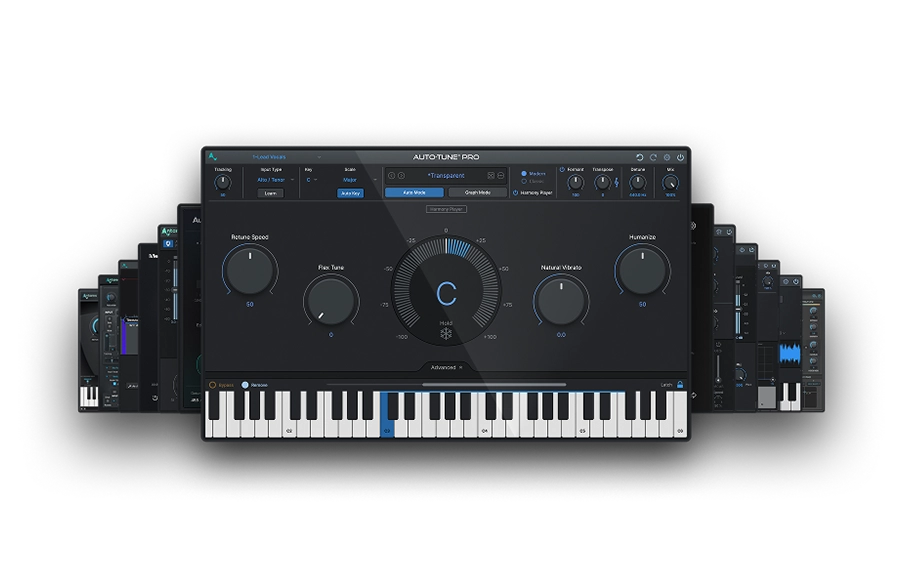
AutoTune Unlimited
The Ultimate Vocal Production Suite
Frequently Asked Questions
How do I remove background noise from a vocal recording?
Combine noise gates (for silencing noise between phrases) with spectral noise reduction tools or AI-powered cleanup like Vocal Prep (for noise present during the performance). Prevention at the recording stage is always more effective than post-production repair.
Can background noise be fully removed from a recording?
Mild, consistent noise can be reduced significantly. Heavy or variable noise is harder to address without affecting the vocal quality. Complete removal without any artifacts is rarely achievable, which is why recording in a quiet environment with the right microphone matters so much.
Does AutoTune remove background noise?
AutoTune 2026 handles pitch correction and doesn't perform noise reduction. For noise removal, use Vocal Prep as the first step in your chain before pitch correction. This gives AutoTune a clean signal to track against.
What causes electrical hum in vocal recordings?
Ground loop interference between components in your recording chain that share the same ground at different voltage potentials. Balanced cables, a shared power circuit for all gear, and a DI box with a ground lift switch are the standard fixes.
What's the best way to record vocals without background noise?
Turn off HVAC and fans. Record in a room with absorptive surfaces. Use a cardioid dynamic microphone in noisy environments. Position the vocalist close to the capsule and set levels to peak around -6 dBFS. That combination gives you a signal clean enough that post-production noise removal becomes minimal or unnecessary.
Vocal Prep

AutoTune Unlimited

AutoTune 2026 and Metamorph
Now Included

Antares Editorial
Antares is a leading developer of software for music recording and live performance. For over 20 years, Antares has powered the music of top-charting and indie artists with products including the industry standard for pitch correction, AutoTune™.