

Should the EQ come before the compressor, or should it be the other way around? This decision will have a huge impact on your mix. But the truth is that there's no golden rule on which should go first.
What is EQ?
Equalization, or EQ, adjusts the balance of frequency components of an audio signal. EQ can boost or highlight specific frequency bands in a track. You can make a kick drum punchier, brighten vocals, or reduce unwanted sibilance. Some EQ changes can be static, meaning they apply throughout the song once your tracks are set.
What is Compression?
Compression is a tool used to manage the quietest and loudest parts of the mix. When the audio signal exceeds a certain level, the compressor lowers its volume to reduce variability. This can make vocals smoother, drums sound tighter, and bring out subtle details in the song.
Unlike EQ, compression changes based on what's happening in the song. It goes up and down with the volume, helping you keep things in control.
Using Equalizer and Compressor Together
When you blend the EQ's tonal-shaping characteristics with a compressor's dynamic sculpting, you can bring a unique sound signature to life. The most important aspect of using these two tools is the order in which you place them, which can impact the sound of your final mix, tonal quality, and coloration.

EQ Before Compressor
EQ pre-compression feeds the sound into the compressor, which has already been through tonal adjustments. This order can make the compressor react differently, especially if significant EQ boosts or cuts are applied.
The result of EQ pre-compression tends to be a warmer, rounder tone. When the compressor acts on an equalized signal, it might smooth out some of the EQ's sharpness or emphasis, blending the frequency changes more organically with the original sound.
EQ After Compressor
EQ post-compression sculpts the tonal qualities of a dynamically controlled signal. The compressor has already done its job of taming peaks and enhancing quieter parts. Now, the EQ can fine-tune.
The outcome of EQ post-compression often leans towards a cleaner, clearer sound. Equalization is not affecting how the compressor reacts; it's refining the already-compressed audio. Any boosts or cuts made will keep their character as they won't be further modulated by compression.
What is Multiband Compression?
A multiband compressor blends elements of traditional compression with equalization, offering control over various aspects of an audio signal. This advanced compressor divides the incoming audio into separate frequency ranges, treating each independently.
Where to Use Multiband Compression
Multiband compression is a powerful and versatile tool that, once mastered, can become your go-to mixing practice to create professional tracks. You can compress the low frequencies to manage a booming bass while leaving the higher frequencies, like those in vocals or guitar solos, untouched.

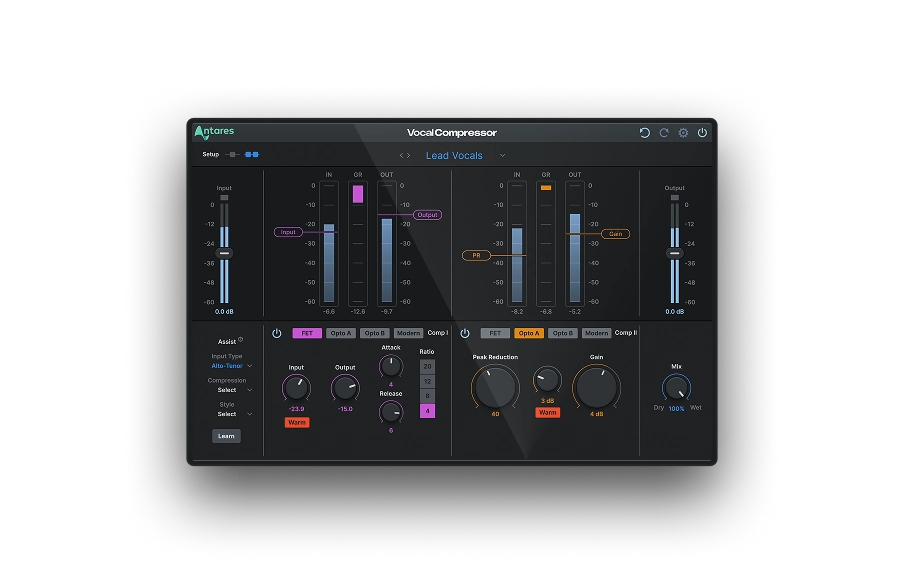
Vocal Compressor
Dual-Stage
AI-Powered Vocal Compression
Using Multiband Compression with EQ
When integrating multiband compression with EQ, the process becomes a constantly evolving balance of dynamics and tonal characteristics. Here's an example:
- Corrective EQ: Address any frequency issues, like muddiness in the low end. Tackle these first to create a balanced sound.
- Multiband Compression: Next, compress specific frequency ranges without affecting others. You might want to tighten up the bass without squashing the clarity of the high end.
- Tonal EQ: You can apply another round of EQ for tonal shaping and creative flavor.
What is Dynamic EQ?
Dynamic EQ is an EQ that can change in real-time based on the audio signal's characteristics. Like a compressor, it features threshold, attack, and release settings. The dynamic EQ comes into action when the audio signal surpasses a set threshold in a specific frequency band. It can boost or reduce that frequency and release the change based on the attack and release times.
Where to Use Dynamic EQ
Dynamic EQ gives you extreme control over the tonal characteristics of your song. If a vocal becomes too shrill at loud volumes, dynamic EQ can be set to reduce the high frequencies when they become problematic, leaving the rest of the performance untouched.

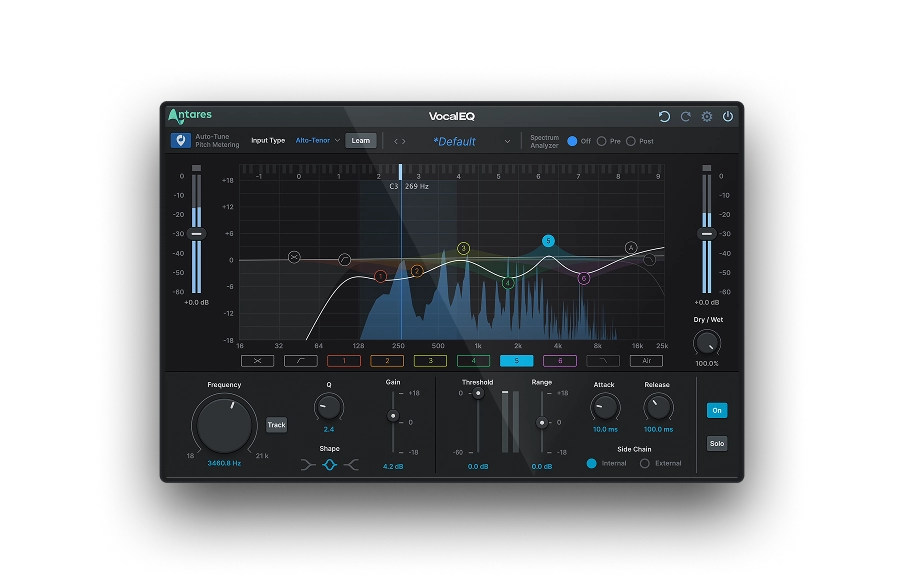
Vocal EQ
Clarity Above All
Using Dynamic EQ with Compression
Combining dynamic EQ with compression can provide layered dynamic control.
- Initial Compression: Start with a standard compressor to manage the dynamics of the signal. Ensure that any significant volume fluctuations are under control.
- Dynamic EQ: Next, apply the dynamic EQ to address the specific frequency issues that arise. This is especially useful for problems that pop up occasionally throughout the song.
- Final Compression (if necessary): Depending on your sound, you might want to apply another subtle round of compression to help glue everything together.
If you're looking for a cutting-edge Dynamic EQ, use Auto-Tune Vocal EQ. This plug-in offers the precision, clarity, and flexibility you need when mixing your tracks, allowing you to craft a mix that responds in real-time to your audio recordings.
With six fully customizable dynamic EQ bands, Auto-Tune Vocal EQ enhances vocals with precise frequency isolation. It has built-in Auto-Tune Pitch Tracking technology and real-time analysis for optimal results.
Final Thoughts
Whether you opt for EQ pre or post-compression largely depends on the sonic goals you have for your mix. Looking for a vintage, warm vibe? Pre-compression EQ might be your best bet. Aiming for a more modern sound? Try EQ post-compression. As it always is in audio engineering, your ears are the ultimate judge. So experiment with both approaches and trust your instincts to guide your mixing decisions.

Exclusive AutoTune Content

Vocal EQ

AutoTune Unlimited

AutoTune 2026 and Metamorph
Now Included

Antares Editorial
Antares is a leading developer of software for music recording and live performance. For over 20 years, Antares has powered the music of top-charting and indie artists with products including the industry standard for pitch correction, AutoTune™.