

Getting started with music production is always the most challenging part. If you're an aspiring music producer struggling to get your first beats done on your DAW, don't worry, you're not alone. Although the technology to create a good groove is becoming increasingly accessible to anyone, making a beat still comes down to your intuition, creativity, and taste.
Even seasoned music producers struggle to make beats, often because they try to move away from their previously-recorded works and try to find a new style. So no matter your skill level, you'll always have moments when creating a good beat seems like an impossible task.
Today, we’ll look into how you can become a proficient beat-maker: the tools you need, how to identify a good beat when you hear one, and how you can hone the craft over time.
What Makes A Beat Good?
If your beat never changes, chances are listeners will get bored and skip to the next song. Your task is to create the perfect balance between variation and repetition by creating a catchy rhythm that will push the music forward. Finding this equilibrium is crucial when it comes to beat-making.
Kick, snares, some high-frequency percussion sounds, a bass, and at least one melodic element, are the typical components that can be found in the majority of modern beats. Don't forget to fill in the blanks, add some extra melodic details, or unusual sound effects to differentiate your track.
The Process Behind Making A Good Beat

If you’re focused on a particular music genre, then you must know everything about it, including what makes the most successful tracks so addictive.
Before creating your beat, ensure you get the tempo right. Each genre in electronic music has a specific tempo that defines it, so whether you create a techno, dubstep, or drum and bass piece, check the average tempo of these music genres.
Adjust the metronome on your DAW accordingly so that the speed of your MIDI beats will match the preferred tempo.
An excellent place to start your beat is with the drums. Most DAW’s come equipped with built-in virtual instruments that you can use to build the foundation for your song. Start from the kick and snare drums to define your groove, then move on to hi-hat and additional percussion instruments to make your beat unique and easily recognizable.
Whenever you feel the drums are good to go, move on to the next part: the bass line. Some people like to start from the bass line and add the drums later. Either way is fine as long as the instruments fit with each other and you're comfortable with the workflow.
After adding the bassline, add other virtual instruments to the mix, such as a piano, organ, or synth, to give the song a unique vibe. You can play around and start layering riffs and chords on top of the beat you've created. Customize the grid settings to make it easier to expand the melodies.
Fill the gaps with extra sounds, maybe a short secondary melody here and there or an unexpected noise after a few bars: whatever it takes to keep listeners engaged and make the song recognizable. This is usually the fun part, as you already have the structure of the beat—all that’s left to do is embellish it.
The last step in the process is to polish the sound. During the mixing phase, you can add some cool effects to make everything sound cohesive. The mastering phase will add the final touches to your track, to make sure it’s ready for distribution and ensure it sounds great on all playback devices.


AutoTune Unlimited
The Ultimate Vocal Production Suite
What Tools Do You Need To Make A Beat?
Digital Audio Workstation
Often, a DAW (Digital Audio Workstation) is all we need to start producing beats. There are different types of DAWs, ranging from basic ones like GarageBand to the more professional ones like Ableton, Logic, Cubase, and FL Studio, which are some of the most popular DAWs among professional beat-makers these days. Your choice as to which DAW you’ll use will have an impact on your career as a producer, so do spend some time choosing a DAW that best suits your needs and workflow.
FL Studio is ideal if you have no experience in music production: it's intuitive, perfect for producers with no musical training, and has an expansive sound library that allows you to expand your beats endlessly.
Cubase is one of the oldest DAWs and is still popular among beat-makers. It requires a bit of time to get used to, but has plenty of features that will satisfy your needs, even if you're a proficient music producer.
Logic Pro is great if you have a Mac, as it’s inexpensive yet has everything you need to create unforgettable beats.
Perhaps the most popular DAW, Ableton is ideal for working with samples and loops. It’s also a popular choice among electronic producers who perform live, so if you fall into this category, consider giving Ableton a shot.
Sound Library
When you already have an idea for a beat, having a sample library with the sounds or loops ready to use can save you a lot of time. You have plenty of choices, starting from your DAW's existing library to external libraries like Splice, EpidemicSound, Sounds.com, etc. The samples you have will undoubtedly have an impact on the beats you’ll be creating.
MIDI Controllers
MIDI controllers are fundamental if you’re planning to make beats regularly. Controllers can be found in various formats, and the most typical ones are perhaps pianos ranging between 24 and 88 keys. There are also other types of controllers, like PADs, for example, that are ideal for tapping out rhythms, and will improve your workflow considerably.
Plug-ins
Plug-ins can be divided between virtual instruments and effects, like echo, reverb, delay, pitch modulation, etc. Many DAWs come preloaded with a collection of plug-ins to help you get started right away, but you can also load in third party plug-ins sold separately from various music software companies. Most third-party plug-ins work perfectly with all the most common DAWs, so compatibility usually isn’t something you have to worry about.
On a related note, did you know that you can use Auto-Tune to enhance your beats and make them truly unique? You can use pitch correction and the other professionally-crafted effects included in the Auto-Tune Unlimited collection to transform your vocals into melodic components for your beat, bringing to life a song that's uniquely yours and giving you complete control over your vocal track.
Equipment
Studio monitors, headphones, microphones, musical instruments, laptops, DAWs, and an audio interface are all great tools that can help you bring to life the beat of your dreams. In particular, with an audio interface, you can connect musical instruments such as guitars, keyboards, and microphones to your DAW and record them directly onto your computer. The key benefits to using an audio interface is that it will minimize latency and dramatically improve the quality of your recordings.
AutoTune Unlimited
The Ultimate Vocal Production Suite
Mix and Master the Beat
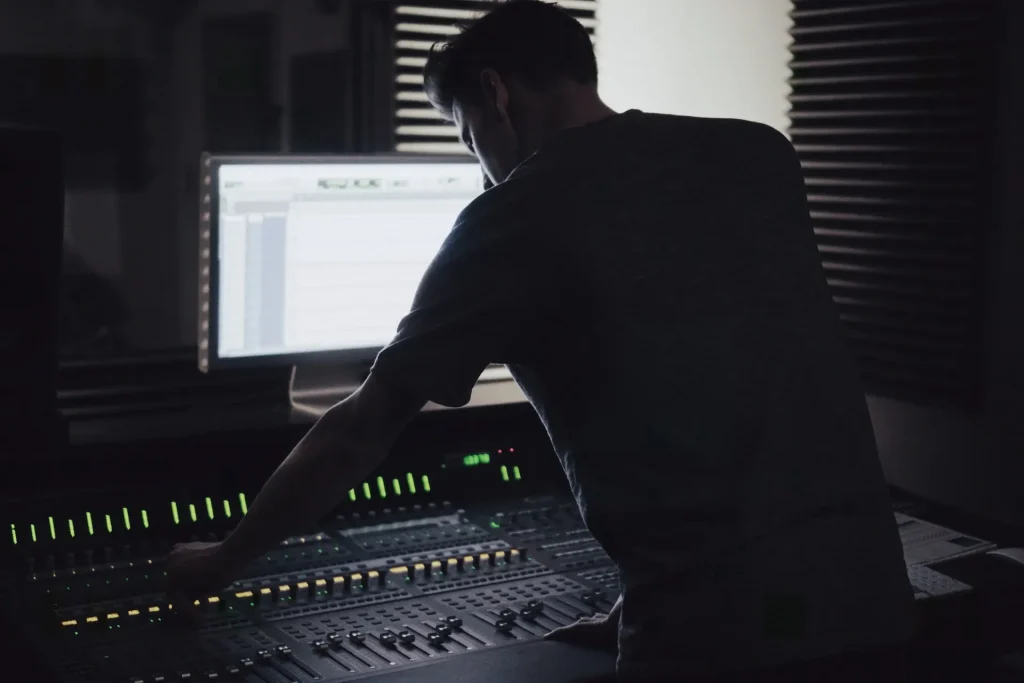
The last stages of the production process are mixing and mastering your beat. Mixing is when you polish the sound and make it more cohesive by adjusting the audio frequencies of the different tracks. Mastering is the process that allows the track to meet industry standards in terms of loudness and overall sound quality.
Different sound processing effects are often used in mixing and mastering. For example, an equalizer is used to adjust the frequency spectrum of individual instruments or tracks to make them sound more pleasant and cohesive. A compressor can be used to regulate and boost the volume of instruments or vocals. Time effects such as echo or reverb will enhance certain characteristics of your beat and personalize it further.
Improve Your Beat-Making Skills
For those of you just entering the world of music production, here’s our best piece of advice: practice, practice, practice! Familiarize yourself with the tools at your disposal as much as possible– honing your craft is all about daily practice.
A great exercise is to analyze the beats of your favorite songs. Scrutinize each instrument and try to create something similar but not identical. Attentive active listening sessions will help you understand the secret sauce that differentiates great beats from average ones.
Save all your projects and revisit them every now and then. You might not be satisfied with a certain beat today, but in the future, you might come up with a way to improve it.
Last but not least: never give up! It might be hard at first, but the satisfaction of publishing your first beat and getting positive feedback from your fanbase is priceless.
AutoTune Unlimited
The Ultimate Vocal Production Suite

Exclusive AutoTune Content

AutoTune Unlimited

AutoTune 2026 and Metamorph
Now Included

Antares Editorial
Antares is a leading developer of software for music recording and live performance. For over 20 years, Antares has powered the music of top-charting and indie artists with products including the industry standard for pitch correction, AutoTune™.