
The best studio monitors for a home studio are the ones that translate your mix to every other system without lying to you, which is what separates a $300 pair worth owning from a $300 pair that flatters your low end and wrecks your masters. Every mix decision downstream of your monitors, the EQ moves, the vocal balance, the bus compression, all depend on whether the speakers in front of you are showing you the sound that actually exists in the file or a colored version of it. A pair that hypes the bass leaves your mixes thin everywhere else. A pair that sparkles in the top leaves your masters dull on a phone.
The budget monitor market has shifted hard over the last five years. In 2026, you can buy a genuinely flat-response pair for under $500 that holds up against the mid-tier professional monitors of a decade ago, especially once you pair it with the DSP room correction most new models ship with. This guide walks through what actually matters in the spec sheet, which models lead the pack at the under-$500 price and how to set them up in the kind of untreated bedroom most home studios actually live in.
What to Look For in a Budget Studio Monitor
Skip the marketing bullet points and focus on the specs that determine real-world accuracy. Published frequency response charts beat headline numbers, driver design beats wattage and trim controls for room placement beat a second tweeter you will never use.
Frequency Response and Flatness
A studio monitor reproduces sound as neutrally as possible, which is the whole job. Look for a published frequency response chart with minimal peaks and dips across the audible range, because every bump in the chart translates into a mix decision you will make in the wrong direction. A spec like "40 Hz to 20 kHz" on its own tells you almost nothing about what the monitor sounds like, since a speaker can reach those extremes while ringing hard at 80 Hz or scooping the mids around 2 kHz.
Driver Size and Low-End Extension
Budget monitors mostly come in 5-inch and 7-inch configurations. A 5-inch woofer extends cleanly to around 45 Hz, which covers almost everything you will mix in a small room. A 7-inch woofer reaches closer to 35 Hz, giving you better visibility into sub-bass content at the cost of overloading smaller rooms with reflected bass buildup. Larger drivers in untreated bedrooms actively hurt accuracy, so match the driver size to the room rather than chasing the bigger number.
Room Correction and Trim Controls
Most modern budget monitors ship with built-in room correction, either as DSP controls on the back of the cabinet or through a companion app. Those controls compensate for rear-wall bass buildup, desk reflections and nearfield boundary effects that skew your perception of the low end. In an untreated room, trim controls can be the difference between mixing accurately and chasing phantom problems you introduced with your own speaker placement.
Top Budget Studio Monitor Picks for 2026
Four models anchor the under-$500 tier, each with different strengths depending on your room and the genres you mix. The table below breaks down the specs side by side so you can match the right pair to your setup before the longer reviews below.
| Monitor | Price (Pair) | Driver Size | Low-End Extension | Best For |
| Kali Audio LP-6 V2 | ~$400 | 6.5" | 39 Hz | Flat-response accuracy, tight rooms |
| Yamaha HS5 | ~$400 | 5" | 54 Hz | Translation checks, reference track |
| JBL 305P MkII | ~$300 | 5" | 43 Hz | Hip-hop, electronic, wide stereo image |
| Adam Audio T5V | ~$400 | 5" | 45 Hz | Vocal and acoustic detail |
Kali Audio LP-6 V2
The Kali LP-6 II has been the budget favorite since its original release and the second-generation update keeps the flat response while adding more tilt-adjustment controls on the rear panel. Low end is punchy without being exaggerated, the top is detailed without fatigue and the price-to-accuracy ratio is arguably the best you can buy under $500 in 2026.
Yamaha HS5
The Yamaha HS5 is the modern descendant of the classic NS-10 reference standard, which is why you will find a pair on the second-set shelf of almost every professional room. The sound is deliberately a touch bright, and that extra top-end presence translates unusually well to consumer playback, which is why engineers keep returning to HS5s for translation checks even when they own much more expensive mains.
JBL 305P MkII
The JBL 305P MkII benefits from trickle-down technology from JBL's professional monitor line, including a waveguide design that produces a wide, stable stereo image even when you are not sitting dead-center. Street price is around $300 per pair and the extended low end makes the 305P especially strong for hip-hop, electronic and any genre where sub-bass accuracy is a priority.
Adam Audio T5V
Adam Audio's T-series brings the classic ribbon tweeter design down to a budget price point. The T5V runs around $400 per pair and delivers an unusually detailed top end for its class, which gives the monitor a clear advantage when you are mixing vocals, acoustic material or any production with a lot of detail in the high frequencies.
Setting Up Your Monitors Correctly
The best monitor in the world gives bad results if the setup is wrong, and placement decisions often matter more than which exact speakers you buy. The table below covers the baseline setup spec that every pair should meet before you start mixing.
| Setup Parameter | Recommended Spec |
| Monitor-to-ear distance | 3 to 5 feet |
| Tweeter height | At ear level, seated |
| Distance from rear wall | 12 inches minimum |
| Equilateral triangle | Monitor-to-monitor = monitor-to-head |
| Tweeter angle | Aimed directly at ears |
| Desk decoupling | Foam pads or isolation stands |
The Equilateral Triangle Rule
Place your monitors so they form an equilateral triangle with your listening position. The distance between the two monitors should match the distance from each monitor to your head, and the tweeters should point directly at your ears for accurate high-frequency imaging.
Height and Distance From Walls
Set the tweeters at ear height when you are seated in your mixing position. Keep the monitors at least 12 inches from the rear wall if the room allows it, and use isolation pads like foam wedges or decoupling platforms to reduce vibration transfer through the desk, because bass buildup from a rear-wall boundary is one of the most common sources of inaccurate low-end translation.
Treat the First Reflections
The walls to your left and right, the wall behind you and the ceiling above your head all generate early reflections that smear the stereo image and color the frequency response. Acoustic panels at the first reflection points clean up the imaging dramatically, and a few panels in the right spots will outperform a full foam installation in the wrong ones.
Checking Your Mix Against Other Systems
Even with great monitors and a treated room, your mix still has to translate outside the studio. Reference checks on other playback systems are a standard part of the workflow for every professional engineer, because the phone speaker in the listener's hand is the ultimate test.
Use a Mono Reference
Sum your mix to mono and check the balance. A mix that falls apart in mono usually has phase or level problems you could not hear in stereo, and clubs, phone speakers and car stereos collapse to mono often enough that a mix holding up in mono will hold up anywhere.
Check on Phones, Cars and Headphones
After mixing on your monitors, export a rough bounce and listen on your phone speaker, your car and a pair of consumer headphones. Note anywhere the mix feels too bright, too dull, too bassy or too thin, then make adjustments back at the studio, because the most consistent mixes are the ones that were checked across the widest range of playback systems.
How to Choose and Set Up Budget Studio Monitors
- Prioritize a flat frequency response and honest driver design over aggressive marketing specs or headline wattage numbers.
- Match 5-inch versus 7-inch drivers to your room size, with 5-inch as the default for bedroom-scale rooms.
- Pick a monitor with built-in trim controls or DSP room correction if your listening environment is untreated.
- Set up monitors in an equilateral triangle with your head, tweeters at ear height and decoupling pads under each speaker.
- Reference check every mix on phones, cars and consumer headphones before you bounce the final master.
Complete Your Home Studio Setup
Accurate monitoring is half the equation. What you hear through your speakers has to start with vocals that are tuned, balanced and polished, otherwise the better your monitors get the more clearly they show you the flaws in the source. Clean the vocal chain first, then trust the monitors to confirm the translation.
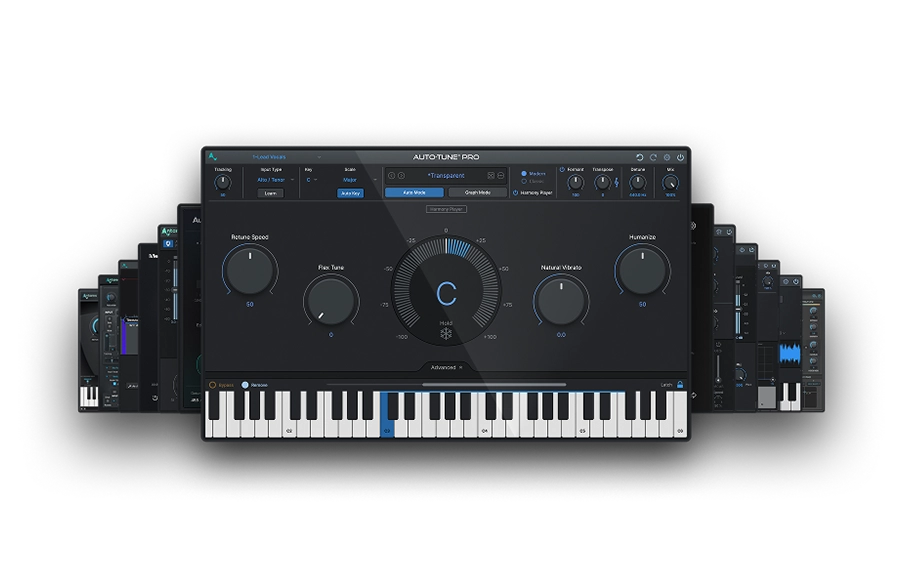
Ready to Match Your Monitors With a Pro Vocal Chain? Our AI-Powered Vocal Chain gives you AI-assisted starting points for every stage of vocal processing, so your mixes are already accurate before you hear them through your speakers. AutoTune 2026 handles the pitch side, and an AutoTune Unlimited subscription bundles the full AutoTune catalog into a single monthly fee.

AutoTune Unlimited
The Ultimate Vocal Production Suite
Frequently Asked Questions
What are the best budget studio monitors for home recording?
The best budget studio monitors for home recording in 2026 are the Kali Audio LP-6 II (~$400), Yamaha HS5 (~$400), JBL 305P MkII (~$300) and Adam Audio T5V (~$400). All four deliver flat, accurate frequency response suitable for commercial mixing at under $500 per pair. The Kali LP-6 II offers the best price-to-accuracy ratio. The Yamaha HS5 translates best to consumer playback. The JBL 305P MkII suits hip-hop and electronic production. The Adam T5V is the strongest choice for vocal and acoustic detail.
How much should I spend on my first pair of studio monitors?
Plan on $300 to $500 for a solid pair in 2026. Cheaper pairs usually cut too many corners on driver quality and flatness, while more expensive pairs are typically overkill for a first setup before you have treated the room.
Are 5-inch or 7-inch monitors better for a bedroom studio?
5-inch monitors sound more accurate in most bedroom rooms because larger woofers overload small spaces with reflected bass. Upgrade to 7-inch only if your room is large or acoustically treated.
Do I really need a subwoofer for mixing at home?
A subwoofer is a luxury, not a requirement, for most home setups. Focus on a strong pair of nearfield monitors first, because a poorly calibrated subwoofer introduces more low-end problems than it solves.
Do budget studio monitors translate to professional releases?
The top budget monitors of 2026 are accurate enough for commercial-quality mixing when paired with proper setup and room treatment. Plenty of professional records are mixed on monitors in the $300 to $500 range.
Should I mix on headphones instead of monitors?
Headphones are a valuable reference tool rather than a replacement for monitors. A mix made entirely on headphones often feels too narrow or too bright on speakers, so use both together for the best translation.

Exclusive AutoTune Content

AutoTune Pro


AutoTune Unlimited

AutoTune 2026 and Metamorph
Now Included

Antares Editorial
Antares is a leading developer of software for music recording and live performance. For over 20 years, Antares has powered the music of top-charting and indie artists with products including the industry standard for pitch correction, AutoTune™.