
You've got something to say. Maybe it's a passion project about true crime, a show where you and your friends break down the latest sports news, or an interview series with people in your industry. Whatever your podcast idea, there's one thing standing between you and sounding like the pros: audio quality.
Here's what most beginners don't realize: that polished, stream-ready sound you hear on your favorite podcasts isn't magic. It's the result of a few key audio processing steps that professionals have used for decades. The difference now is that AI-powered tools can handle these steps for you automatically, no audio engineering degree required.
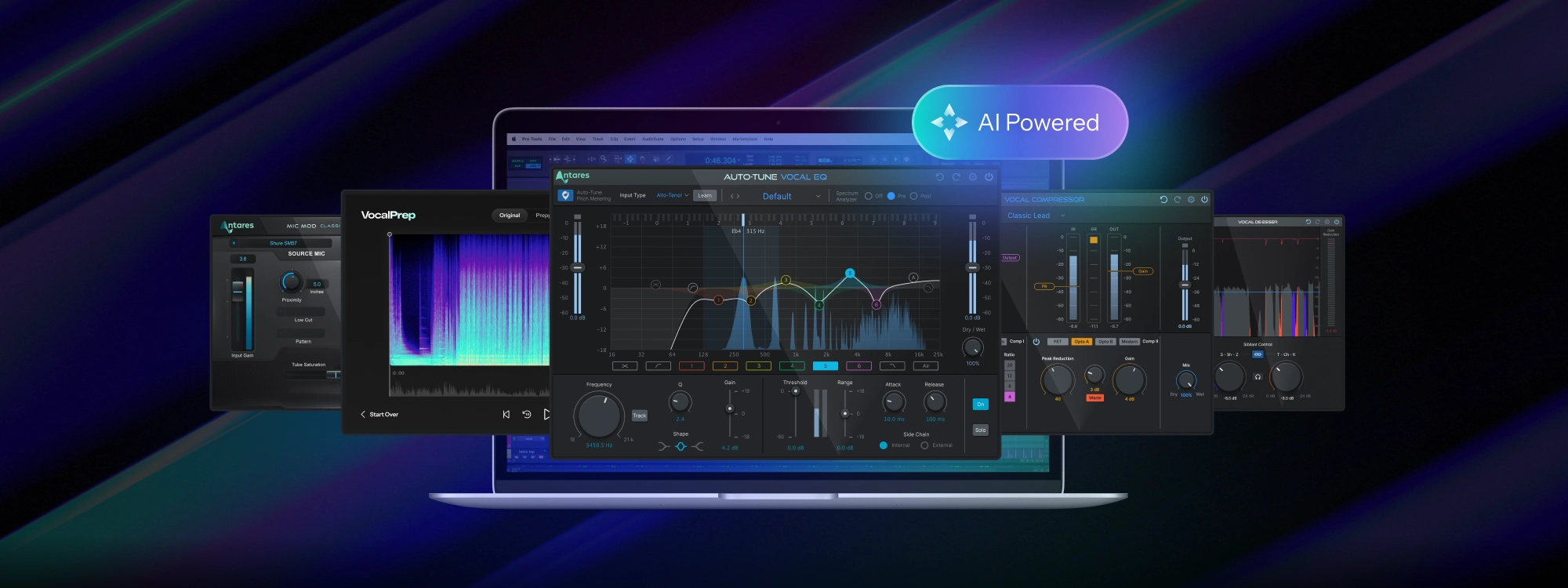
The Podcasting Suite by AutoTune brings together five essential tools designed specifically for the human voice. Each one tackles a specific problem that plagues recordings, and together they transform bedroom audio into something your listeners will actually enjoy.
Why Audio Quality Makes or Breaks a Podcast
Studies show that listeners will forgive mediocre video quality, but poor audio drives them away within seconds. When your voice sounds muffled, echoey, or harsh, it creates what researchers call "listener fatigue." Your audience has to work harder to understand you, and that mental effort pulls them out of your content.
Think about the last time you tried listening to a podcast recorded on a laptop microphone in a noisy room. You probably didn't make it past the first few minutes. Now think about how effortless it is to listen to professionally produced shows where the host's voice sounds clear, warm, and present. That difference comes down to audio processing.
What's Inside the Podcasting Suite
The Podcasting Suite includes five plugins that work together to solve the most common audio problems: Vocal Prep, Mic Mod, Vocal EQ, Vocal Compressor, and Vocal De-Esser. Here's how each tool helps your podcast sound better.
Vocal Prep: Your Recording Environment Doesn't Matter Anymore
The biggest obstacle for podcasters is background noise. Computer fans, air conditioning, traffic outside, that neighbor's dog that barks at everything, the hum from your refrigerator in the next room. Professional studios spend thousands of dollars on acoustic treatment to eliminate these distractions. You don't have that luxury.
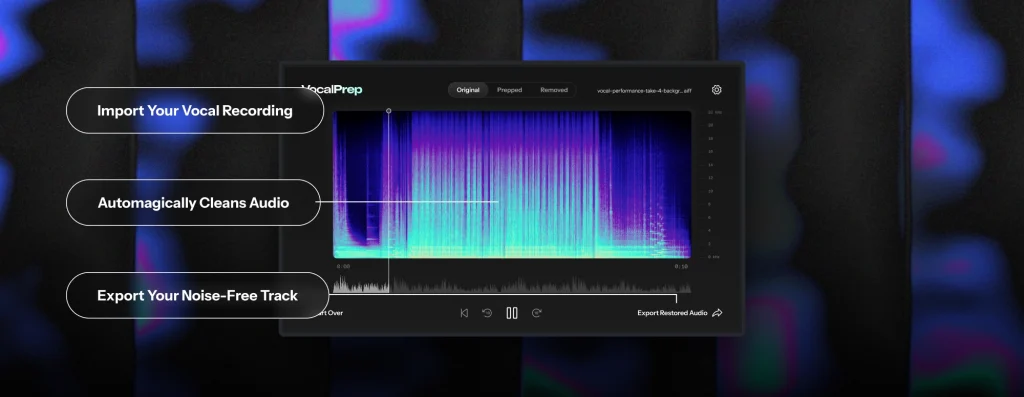
Vocal Prep uses AI to analyze your recording and identify what's voice and what's noise. Then it removes the noise while preserving the natural quality of your voice. The result sounds like you recorded in a professional vocal booth, even if you actually recorded in your closet.
The workflow is simple: you don't even need recording software to use it. Vocal Prep runs as a standalone application. Drag your audio file in, click "Clean Up," and export a noise-free version. That's it. If you can drag and drop a file, you can use Vocal Prep.
Best for: Removing background noise from any recording environment, cleaning up interviews recorded over video calls, fixing recordings where your mic picked up unwanted sounds.
Mic Mod: Sound Like You Own a $10,000 Microphone
Professional podcasters and radio hosts often record with vintage microphones that cost thousands of dollars. Names like Neumann, Telefunken, and AKG represent decades of acoustic engineering, and they produce a warm, rich sound that budget microphones simply can't match.
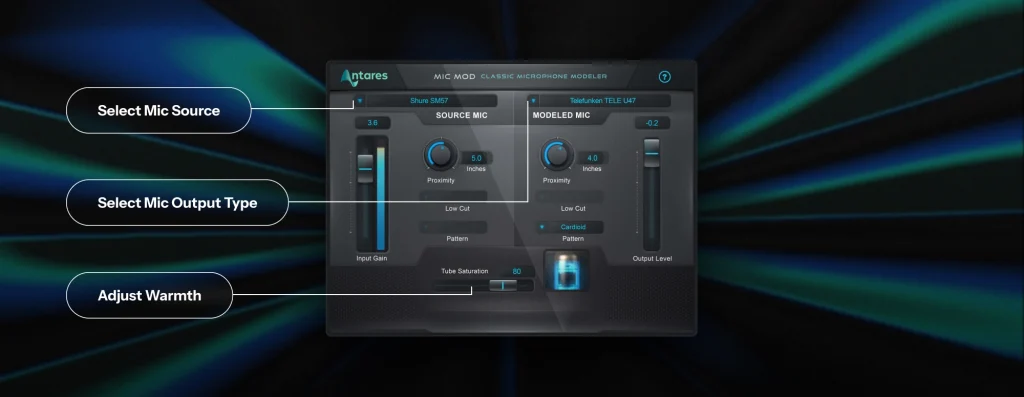
Mic Mod changes that equation. It analyzes the sound of your actual microphone and transforms it to match over 100 different classic and modern models. Recording with a $100 USB mic? Mic Mod can make it sound like Shure SM7B, the industry standard for pro sounding podcasts.
The plugin works by modeling the precise frequency response and characteristics of legendary microphones. You select your source mic (the one you're actually using), and your target mic (the one you want to sound like), and Mic Mod handles the transformation in real-time.
Best for: Upgrading the sound of budget microphones, giving your voice a specific character or warmth, maintaining consistency when you need to record with different mics.
Vocal EQ: Shape Your Sound Without the Guesswork
Equalization, or EQ, is how audio engineers adjust the tonal balance of a voice. It's what makes a recording sound clear instead of muddy, or present instead of distant. The problem is that traditional EQs require you to understand frequency ranges, Q values, and a lot of technical concepts that have nothing to do with podcasting.
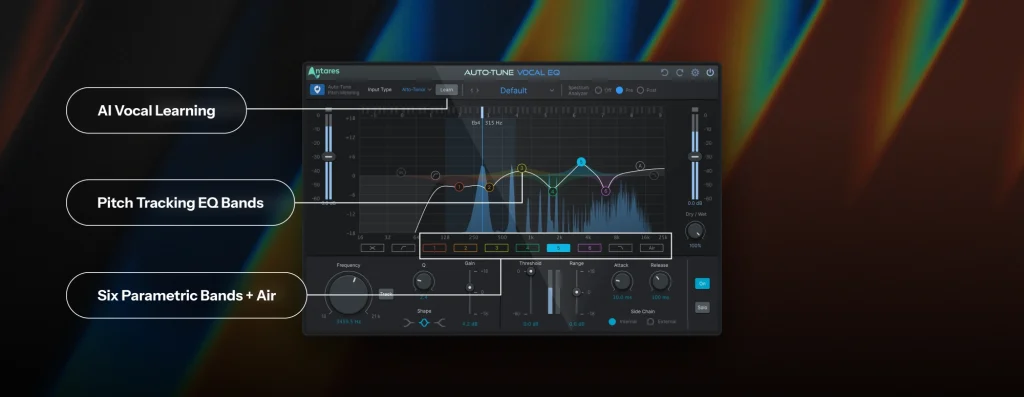
Vocal EQ takes a different approach. It was built specifically for the human voice, and it includes a Learn function that listens to your audio and automatically sets the optimal EQ curve for your specific voice. Press one button, let it analyze for a few seconds, and you've got professional EQ settings tailored to you.
The plugin also includes intelligent pitch-tracking technology. Unlike standard EQs that apply the same settings regardless of what notes you're hitting, Vocal EQ can follow your voice as it moves through different pitches and adjust accordingly. This means consistent clarity, whether you're speaking in a low register or getting excited and raising your voice.
Best for: Adding clarity and presence to your voice, removing muddiness or boxiness from recordings, creating a consistent tonal signature for your show.
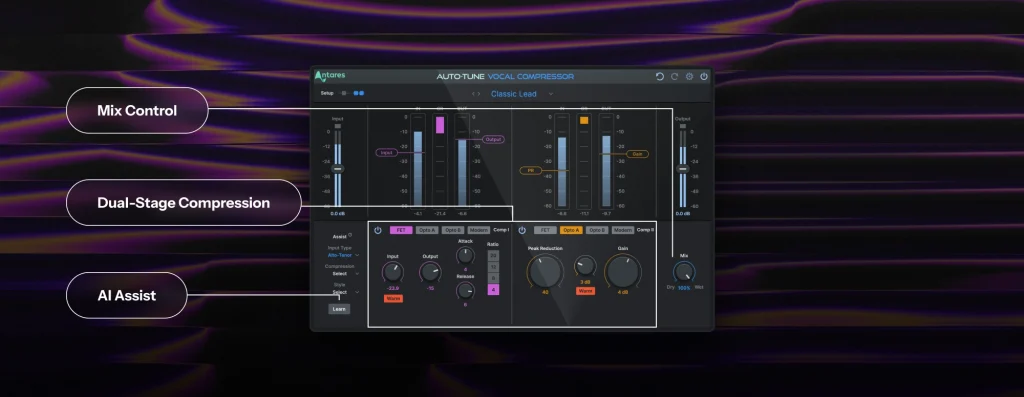
Vocal Compressor: Even Out Your Volume Automatically
When you talk naturally, some words come out louder than others. You might get excited and raise your voice, then drop to a whisper for effect. This dynamic range is part of natural speech, but it creates a problem for listeners: they have to constantly adjust their volume to hear everything clearly.
Compression solves this by automatically reducing the volume of loud parts while bringing up quieter sections. The result is a consistent level that sits perfectly in your listener's ears, while still preserving the emotion in your delivery. Your whispers stay intimate, your excitement stays energetic.
Vocal Compressor uses machine learning to analyze your voice and suggest the right amount of compression for your speaking style. It offers three modes: Minimal for subtle control that preserves your natural dynamics, Controlled for a polished broadcast sound, and Aggressive for maximum consistency. The AI Assist feature takes the guesswork out entirely.
Best for: Creating consistent volume levels throughout your episode, achieving that "broadcast" sound professionals use, making your podcast easier to listen to in noisy environments.
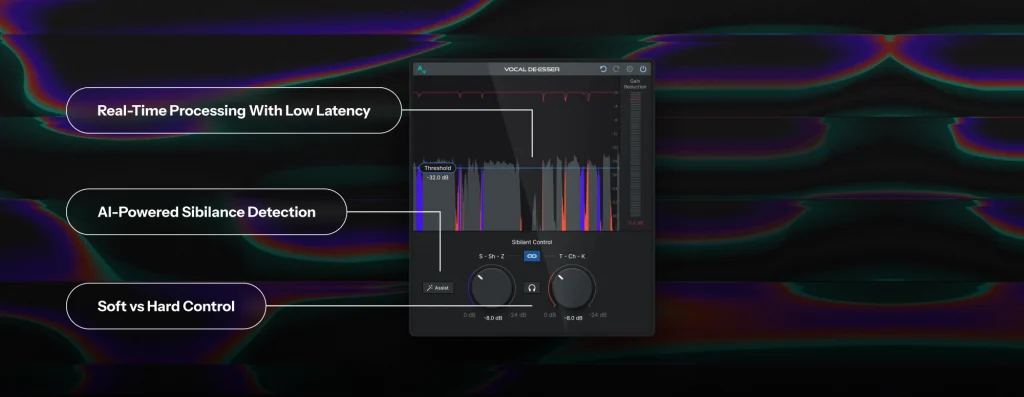
Vocal De-Esser: Tame Harsh Sounds Without Losing Clarity
If you've ever listened to a podcast through earbuds and winced at a particularly sharp "S" sound, you've experienced sibilance. These harsh high-frequency sounds are a natural part of human speech, but they become especially piercing through headphones, the exact way most people consume podcasts.
A de-esser identifies these problematic sounds and gently reduces their intensity without affecting the rest of your voice. It's a subtle effect when done right: your listeners won't notice it's there, they'll just notice that your voice sounds smooth and pleasant instead of harsh.
Vocal De-Esser uses AI to detect sibilance in real-time, which means it works for both recorded audio and live streaming. The Assist button analyzes your voice and sets optimal thresholds for both soft sibilants (S, Sh, Z) and hard consonants (T, Ch, K). No more guessing at frequency settings or accidentally making your voice sound lispy.
Best for: Smoothing out harsh "S" and "T" sounds, making your podcast more comfortable to listen to on earbuds and headphones, and live streaming where you can't fix problems in post-production.
The Right Order: How to Chain These Plugins Together
Order matters when processing audio. Each plugin in the chain affects how the next one "hears" your voice. Here's the recommended sequence for the best results:
Step 1: Vocal Prep (standalone app). Start by cleaning up your raw recording. Remove background noise before any other processing so that later plugins work with clean audio instead of amplifying problems.
Step 2: Mic Mod. If you want to change the character of your microphone, do it early in the chain. This gives subsequent plugins the transformed sound to work with.
Step 3: Vocal EQ. Shape your tone before compression. This ensures the compressor responds to a balanced signal instead of over-emphasizing problem frequencies.
Step 4: Vocal Compressor. Even out your dynamics after EQ. This way, you're compressing a well-balanced voice rather than one with tonal issues.
Step 5: Vocal De-Esser. Finish with de-essing. Compression can sometimes make sibilance more pronounced, so catching it at the end of the chain ensures a smooth final result.
For Streamers: Yes, These Work Live
If you're streaming on Twitch, YouTube, or another platform, you might be wondering whether these tools can work in real-time. The answer is yes. Mic Mod, Vocal EQ, Vocal Compressor, and Vocal De-Esser all operate with low latency, meaning you can route your microphone through them and get processed audio with no noticeable delay.
The setup varies depending on your streaming software. OBS users can add these plugins through a VST host, while others might route audio through a lightweight DAW like Reaper or GarageBand before sending it to their stream. Either way, your audience hears polished, professional audio without any post-production work required.
Getting Started: Your First Episode with the Podcasting Suite
Here's a simple workflow for your first professionally processed episode:
Record your episode with whatever microphone you have. Don't worry about your room or background noise yet.
Run the recording through Vocal Prep to remove any unwanted noise. Export the clean version.
Import into your DAW and add Mic Mod, Vocal EQ, Vocal Compressor, and Vocal De-Esser in that order.
Click the AI Assist button on each plugin to let them analyze your voice and set optimal starting points.
Listen back and make any adjustments if needed. Most of the time, the AI settings will be exactly what you need.
Export your finished episode and share it with the world.
Sound Like a Pro
The tools that professionals use to produce polished podcast audio are now accessible to everyone. The Podcasting Suite brings together noise removal, microphone modeling, equalization, compression, and de-essing in one package, with AI handling the technical decisions so you can focus on what actually matters: your content.
Your podcast deserves to be heard clearly. Give your voice the professional treatment it deserves and see how much easier it is to grow an audience when listeners can actually enjoy your audio. Ready to hear the difference? Learn more about the Podcasting Suite and start creating content that sounds as good as it deserves to. All five plugins are also included with an AutoTune Unlimited subscription, a flexible way to access the complete vocal production toolkit and explore everything AutoTune offers as your podcast grows.


AutoTune Unlimited
The Ultimate Vocal Production Suite

Exclusive AutoTune Content

AutoTune Unlimited

AutoTune 2026 and Metamorph
Now Included

Written by: Brian Davitt
Senior Manager, GTM at AutoTune
Brian has 15+ years of experience in the music industry, transitioning from his early 2000s roots touring with bands to becoming an audio engineering professional after earning his degree in 2011. Before joining AutoTune, Brian built his expertise working with legendary music technology brands including M-Audio, HeadRushFX, and Akai Pro. When he's not developing marketing strategies for AutoTune, Brian rocks out with his Math Rock band Between 3&4.