

Pitch correction is audio processing technology that detects the pitch of a vocal performance and moves it toward the nearest correct note in a musical scale. It works in real time or after recording, can be applied transparently so the listener never knows it's there, or pushed to produce the unmistakable hard-tuned sound that has defined pop and hip-hop for nearly three decades. If you want to tune vocals like a professional, this guide covers everything you need to know: how it works, which settings matter, and how to choose the right tool for your workflow.
What Is Pitch Correction?
Pitch correction was invented by Dr. Andy Hildebrand at Antares Audio Technologies and first released commercially in 1997 as AutoTune. Before that, fixing a pitch problem meant punching in a new take or manually editing audio in ways that were time-consuming, expensive, and rarely seamless.
Pitch correction changed all of that. It made the process fast, repeatable, and available to any producer with a computer.
Where to Put Pitch Correction in Your Signal Chain
Pitch correction algorithms perform best when they receive a clean, dry, and uncompressed signal. Think of your plugin as a pilot trying to navigate a landing: a clear runway (a raw, high quality vocal) allows for the most precise adjustments.
Whether you are aiming for transparent, natural pitch correction or the iconic, stylized AutoTune Effect, the quality of your source audio dictates the outcome. If the signal has "fog and debris" like background noise, heavy reverb, or aggressive compression, the software struggles to identify the fundamental pitch. This often leads to unpredictable tracking, unwanted artifacts, or a "glitchy" quality that can undermine your production. For the most reliable results, regardless of your creative goal, always place your pitch correction early in the signal chain, on your raw, unprocessed performance.
How Pitch Correction Works
At its core, pitch correction works in three steps.
First, the plugin analyzes the incoming audio and identifies the fundamental frequency of the note being sung. This is called pitch detection, and it happens in near real time.
Second, the plugin compares that detected pitch against a target scale, a set of "correct" notes you define by setting the key and scale of your song. If the singer performed a C# when the scale calls for a C, the plugin knows a correction is needed.
Third, the plugin shifts the pitch toward the nearest correct note. How quickly it does this is determined by the Retune Speed parameter, the single most important control in any pitch correction plugin.
The Key Settings Every Producer Needs to Know
Key and Scale
Before you do anything else, set the key and scale of your song. This tells the plugin which notes are correct and which ones need to be corrected. An incorrect key setting will move notes to the wrong target pitch, producing a result that sounds worse than the original performance. If you're not sure of your key, AutoKey 2 detects it automatically and sends the information directly to AutoTune.
There's one situation that trips up even experienced producers: a detuned beat. Some beats are produced slightly off standard pitch, either intentionally for warmth or by accident during sampling and chopping. When that happens, setting AutoTune to the correct musical key is not enough, because the "correct" key for that beat is no longer sitting at standard A440 tuning.
The fix is straightforward. Pull up a piano plugin or a MIDI keyboard and play notes against the beat until you find the one that matches its root pitch. Once you've identified it, you have two options. You can retune the beat itself in your DAW to bring it back to standard pitch, then set AutoTune normally. Or, if you'd rather leave the beat as is, you can use AutoTune Pro's transpose and detune controls to shift AutoTune's target pitch to match the beat's actual tuning. Either way, your vocal correction is now locked to the real harmonic center of the track rather than a theoretical key that doesn't match what's playing.
Retune Speed
Measured in milliseconds, Retune Speed controls how fast the pitch correction moves from where the singer performed to where the target pitch is. A setting of 0 ms produces instant, hard-tuned correction, the effect you know from T-Pain and Cher. A setting of 10 to 50 ms gives the correction time to smooth in naturally, producing transparent results that the casual listener would never notice. Everything in between is a creative choice.
Flex Tune
Flex Tune lets notes close to the correct pitch pass through with less correction, while notes further off-pitch receive more aggressive treatment. It preserves natural pitch expressiveness while still catching the problematic moments. For transparent correction, Flex Tune is one of the most useful tools available.
Humanize
Humanize relaxes pitch correction on sustained notes, specifically to preserve vibrato and the natural pitch movement that makes a long-held note feel alive rather than static. With Humanize set to zero and Retune Speed at its fastest, every moment of the vocal gets pulled hard to pitch. Raise Humanize and those long notes breathe.
Transparent Pitch Correction vs. the AutoTune Effect
There are two philosophically different ways to use pitch correction, and mixing them up produces the wrong result every time.
Transparent correction is the goal on most pop, R&B, country, and rock records. The listener should not hear the plugin working. To achieve this, use a slower Retune Speed (20 to 80 ms), enable Flex Tune, and set Humanize to a moderate value that preserves sustained notes.
The “AutoTune Effect” is a deliberate creative choice. Notes snap to pitch with a robotic, digital quality that has become one of the defining sounds in music since the late '90s. To achieve it, set Retune Speed to 0-5 ms, disable Flex Tune, and keep Humanize at zero.
Auto Mode vs. Graph Mode
Most professional pitch correction plugins, including AutoTune Pro, offer two distinct workflows.
Auto Mode processes the vocal in real time as it plays. You set your key, scale, and Retune Speed, and the plugin handles the rest automatically. This is the right mode for tracking sessions, live performance, and quick corrections where you need results fast.
Graph Mode gives you surgical control over every individual note. You can see the exact pitch of each syllable drawn out over time and manually move, reshape, or lock specific notes to precise pitches. This is the right mode for detailed post-production work where the performance needs significant repair, or where you want to sculpt a specific melodic line with precision that Auto Mode cannot match.
For most production workflows, Auto Mode handles the bulk of the work. Graph Mode comes in when you need fine control over a specific phrase or section.
Common Pitch Correction Mistakes to Avoid
Correcting to the Wrong Key
This is the most common and damaging mistake in vocal production. If the root note or scale is incorrect, AutoTune will force your vocal into a dissonant key. Always verify the key of your track before you engage the plugin.
Using Excessive Retune Speed
Using too fast a Retune Speed on a performance that does not need it creates the "robotic" artifact. If your goal is transparent correction, start at 50 ms or higher and only tighten the Retune Speed if the performance specifically demands it.
Over Correcting Great Performances
Your vocal chain shouldn't erase the human element. Pitch correction excels at tightening a solid take, but it can't manufacture emotion. If you find yourself needing to over-correct, you're usually better off tracking a new take. Trust the performance first, then use AutoTune to polish it after.
Choosing the Right AutoTune Plugin for Your Workflow
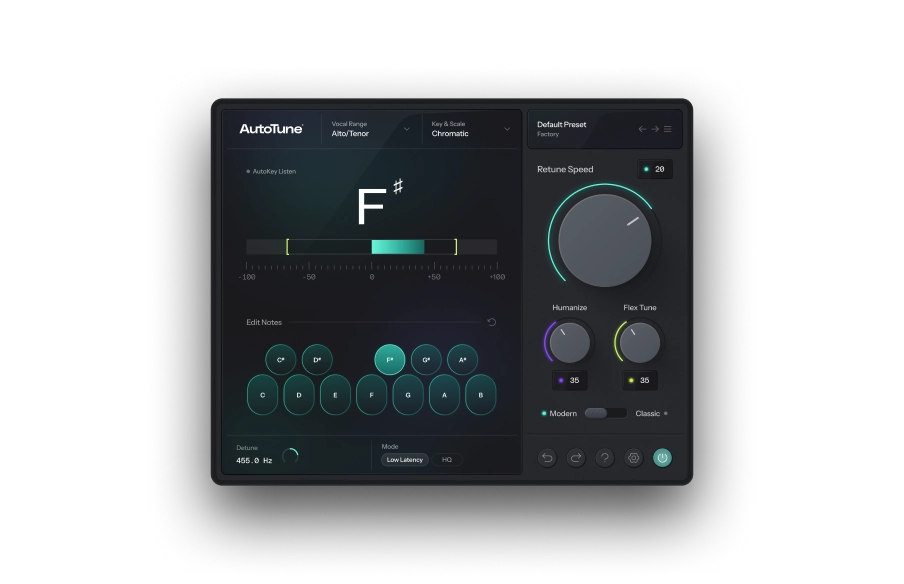
AutoTune 2026 is the most efficient pitch correction engine AutoTune has ever built, up to 35% more CPU-efficient at 48 kHz, with a rebuilt algorithm that delivers cleaner artifacts and better tracking on difficult passages. It includes Classic Mode for the hard-tuned effect, Modern Mode with Flex Tune and Humanize for transparent correction, and a Low Latency mode that makes it ideal for tracking sessions and live performance.
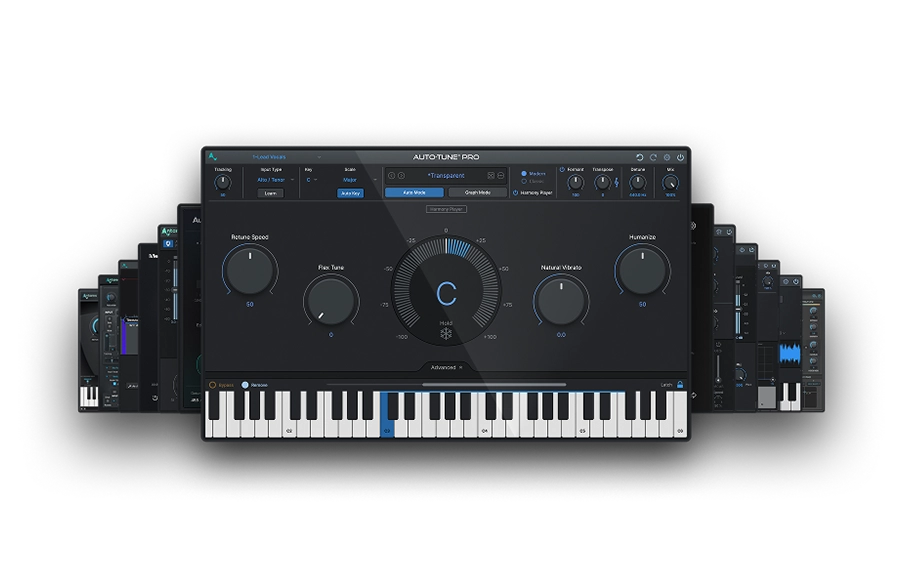
AutoTune Pro 11 adds Graph Mode for producers who need detailed manual editing control. It's the right choice when you're working on complex pitch repair or when you want to compose pitch-perfect melodic lines by hand.
Both are included with AutoTune Unlimited, along with AutoKey, Vocal EQ, Vocal Compressor, and the rest of the AI-Powered Vocal Chain.
Pitch Correction Is a Tool, Not a Cheat
The myth that pitch correction is somehow cheating has been thoroughly retired by the music industry itself. Nearly every commercially released vocal, across every genre, goes through some form of pitch processing. The question was never whether to use it. The question is whether you know how to use it well.
Used transparently, it's invisible. Used creatively, it's iconic. Used poorly, it sounds exactly like what it is: a plugin being misused.
Now you know how to use it.

AutoTune Unlimited
The Ultimate Vocal Production Suite
Frequently Asked Questions
Does pitch correction ruin your voice?
Pitch correction does not ruin your voice. It is a tool for precision. It only changes the character if you push it to an extreme stylistic setting. Most professional vocals use it for subtle transparent correction that keeps the original emotion intact.
What is the difference between pitch correction and AutoTune?
Pitch correction is the broad category of technology used to adjust the pitch of a performance. AutoTune is the industry standard software that pioneered this technology. While people often use the names interchangeably, AutoTune refers specifically to the professional software plugin developed by our team.
Can pitch correction fix bad singing?
Pitch correction can fix notes that are slightly off key. However, it cannot fix issues with rhythm, breath support, vocal texture, or performance quality. It works best on good performances that need extra precision rather than rescuing a performance that is missing the mark entirely.

Exclusive AutoTune Content

AutoTune 2026

AutoTune Unlimited

AutoTune 2026 and Metamorph
Now Included

Antares Editorial
Antares is a leading developer of software for music recording and live performance. For over 20 years, Antares has powered the music of top-charting and indie artists with products including the industry standard for pitch correction, AutoTune™.