

Part of being a professional producer or audio engineer is knowing the purpose of each effect in your plug-in library and how you can best use each one of them.
Auto-Tune and reverb are audio effects you can hear in most commercial hits, and how you use them to improve the quality of vocals significantly impacts your song's quality.
Given that both Auto-Tune and reverb are frequently used to enhance vocal recordings, it's common for artists to not be aware of the characteristics of each effect. In this article, we'll analyze the differences between these two fundamental tools and give a few suggestions for making the most of them for your tracks.
Auto-Tune vs. Reverb Main Differences
Auto-Tune and reverb are two completely different effects. Auto-Tune can be used to adjust the pitch of a track or create an artificial vocal effect. Reverb, on the other hand, is an effect that enriches the vocals by adjusting reverberation, created by the interaction of sound waves with their surroundings.
What is Auto-Tune & What Does it Do?

Auto-Tune is a pitch correction tool; it corrects the pitch of a vocal that has been sung out of tune. It can also be used to create unique vocal effects by making it sound more robotic. Auto-Tune does this by automatically tuning the vocals up or down to the closest notes in the scale.
What is Reverb & What Does it Do?
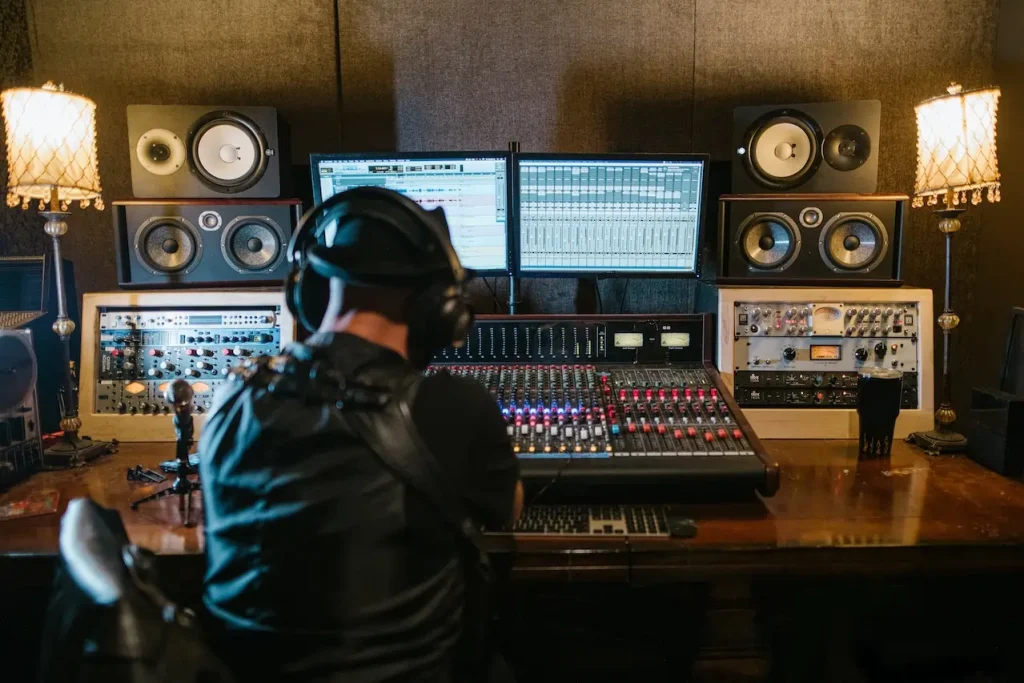
A reverb can add depth and sustain to an audio signal, resulting in a more immersive and natural sound. When an audio engineer takes the vocal track recorded in the neutral environment of a recording studio and adds reverb to it, they enrich the sound and make the voice blend in better with all of the other instruments.
Is Reverb a Form of Auto-Tune?
While both effects can be used to improve vocals, reverb is not Auto-Tune. They affect different characteristics of vocal tracks, and while they can be used together, reverb and Auto-Tune have nothing in common.


AutoTune Unlimited
The Ultimate Vocal Production Suite
What are Some Famous Songs That Used Reverb?
If you want to hear how reverb sounds on vocals, one notable example is "In the Air Tonight" by Phil Collins. The immersive, ethereal atmosphere created by Collins' voice is the result of a gated reverb that makes his voice seamlessly blend with the minimalist rhythm of the track, creating a nostalgic effect interrupted only when the drums hit.
Speaking of drums, another excellent example of reverb in rock music is included in "When The Levee Breaks" by Led Zeppelin. The drums' iconic reverb effect was achieved by having Bonham play his set in the hallway of Headley Grange while the microphone was placed at the top of the stairwell. Together with some delay and EQ, Led Zeppelin's mixing engineer created a unique sound that's been emulated ever since.
"Jóga" by Björk shows how reverb can enrich electronic tracks. Throughout the song, and especially around the 2:31 mark, the always-present reverb makes Jóga sound fluid and mystic, with Björk's voice guiding the song's transformation, from classical to electronic, to a poignant, emotional soundscape.
Can Reverb Make You Sound Better?
If you ever wondered why you sound so professional when singing in the shower, then you have already experienced the power of reverb. By including or enhancing spatial features in a track, you'll add a distinctive richness to it, making it sound more harmonious and natural.
Is Reverb an Echo?
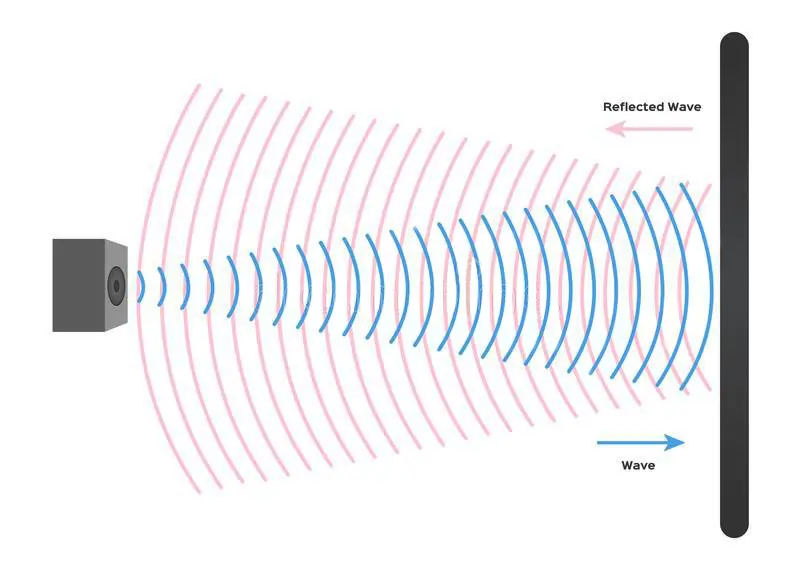
Although reverb and echo might sound similar at times, they are two different effects. An echo is a repetition of a sound: in nature, it happens when a sound wave bounces back after hitting a surface.
On the other hand, reverberation involves a series of sonic features that define the sound of a space, including the ceiling's height, the room's size, the material the walls are made of, and so on. The resulting reverberation is a combination of all these factors.
What We Recommend
While both Auto-Tune and reverb are phenomenal effects, it's when they're combined together that they really do wonders.
After you have recorded your track, apply Auto-Tune first and choose the amount of pitch correction desired. Next, select a reverb from your plug-in library and put it after Auto-Tune in the effect chain.
For a truly immersive soundscape, choose a reverb with long decay and some pre-delay: this will give your vocal track more depth and enhance the tonal characteristics of the song.
If that's not enough, you can always add an echo effect, which will further enrich the vocals and add strength to your piece.
AutoTune Unlimited
The Ultimate Vocal Production Suite

Exclusive AutoTune Content

AutoTune Pro


AutoTune Unlimited

AutoTune 2026 and Metamorph
Now Included

Antares Editorial
Antares is a leading developer of software for music recording and live performance. For over 20 years, Antares has powered the music of top-charting and indie artists with products including the industry standard for pitch correction, AutoTune™.