
Hundreds of thousands of songs hit Spotify, Apple Music, Amazon Music and YouTube Music every week in 2026 through independent distributors that cost less than a single Spotify Premium subscription, which means the whole game has shifted from whether you can get your music on the platforms to whether anyone notices it once you do. Learning how to distribute your music means picking the right distributor for how often you release, prepping your files to the current loudness and metadata specs and timing your rollout so the algorithmic windows actually open for your track.
Independent distribution has replaced the label deal as the default path for almost every new artist. The better services keep you at 100% of your royalties on a flat annual or per-release fee, deliver to every major DSP and handle the DDEX metadata piping that used to require a major-label partnership. The landscape is also crowded with services that look identical at a glance, and the wrong pick can lock your metadata, cost you revenue you should have collected or leave you unable to migrate your catalog later when you outgrow the free tier. This guide breaks down how distribution actually works, which service fits which kind of release schedule and the prep checklist that separates a professional upload from an amateur one.
How to Distribute Your Music: Step by Step
A distributor is the middle layer sitting between you and the streaming platforms. Spotify, Apple Music and the other major DSPs do not accept direct uploads from unsigned artists, so you go through an approved distributor that delivers your audio files, your artwork, your metadata and your rights information to each platform on your behalf. Once your song goes live, the distributor collects royalties from the DSPs and pays them through to you, keeping a percentage cut or charging an annual subscription instead.
Metadata is where most of the invisible work happens. The ISRC code that identifies your recording, the songwriter splits that determine publishing payouts, the artist profile that your streams attach to, all flow through the distributor into the DSPs at upload time and any mistake in that data creates a cleanup problem that can take months to resolve after release.
How to Choose a Music Distributor
The right distributor depends on how often you release, how much you care about advanced services like publishing admin and whether you want to keep your whole royalty share or trade a cut for faster turnaround and label-style support. The table below compares the services most active independent artists are actually using in 2026.
| Distributor | Pricing Model | Royalty Split | Best For |
| DistroKid | $25/year | 100% to artist | High-Volume Releasers |
| Ditto | $19/year | 100% to artist | Budget-focused monthly singles |
| Amuse | Free or $25/year | 100% to artist (paid tier) | Low-Volume hobbyist releases |
| TuneCore | Per-release or $25 to $77/yr | 100% to artist | Artists needing label services |
| CD Baby | Per-release | 91% to artist | Publishing admin bundled |
| LANDR | $16/year | 100% to artist | Mastering plus distribution |
Annual Subscription Distributors
Services like DistroKid, Ditto and LANDR charge a flat yearly fee and let you release unlimited songs for that price while keeping 100% of your royalties. This model makes sense for artists releasing monthly or more often because a per-release fee adds up fast at that pace.
Free and Per-Release Distributors
Amuse, RouteNote and Spinnup offer free or pay-per-release tiers that work for artists releasing once or twice a year. The royalty split on free tiers is usually less favorable than on paid subscriptions, so read the fine print before committing any catalog to a free provider you might need to migrate later.
Premium Distributors With Label Services
TuneCore, CD Baby and Stem cost more but bundle in publishing admin, sync licensing pitch opportunities, YouTube Content ID and advance funding. If music is your full-time income, the bundled services typically pay for themselves in royalties you would otherwise leave uncollected in publishing black boxes.
How to Prepare Your Music for Distribution
Distribution is the final step in the release process, and getting the prep right before you hit upload is what separates a polished release from a messy one that prompts DSP rejection or splits your artist profile into duplicates.
Master Your Audio to Streaming Spec
Streaming platforms apply loudness normalization at playback, so a mix mastered hot ends up quieter than its competition after the platform-side attenuation kicks in. The streaming landscape has converged around -14 LUFS integrated with true peaks at -1 dBTP, which lands a single master on the right side of every major DSP without needing a separate version per platform.
| Platform | Integrated Target | True Peak | Normalization Behavior |
| Spotify | -14 LUFS | -1 dBTP | Turns loud tracks down, boosts quiet tracks up |
| Apple Music | -16 LUFS | -1 dBTP | Sound Check normalizes both directions, can be disabled |
| YouTube Music | -14 LUFS | -1 dBTP | Only attenuates loud tracks, never boosts quiet ones |
| Tidal | -14 LUFS | -1 dBTP | Album normalization always on |
| Amazon Music | -14 LUFS | -2 dBTP | Only attenuates loud tracks |
| Deezer | -15 LUFS | -1 dBTP | ReplayGain across all tiers |
Apple Music and Tidal are the two major DSP’s that allow for lossless audio. Other platforms will downgrade your audio to compress file size. Export the file as 24-bit WAV at 44.1 kHz or 48 kHz for the cleanest delivery across every DSP.
Lock Down Your Metadata
Every track needs a clean title, a correct primary artist, a featuring artist list, a songwriter credit, a producer credit where applicable, an ISRC code and the correct release date. Metadata mistakes are notoriously hard to fix after release and can split your streams across duplicate artist profiles if you are not careful with the exact spelling and capitalization of your name across every upload.
Prepare the Artwork to DSP Standards
Streaming platforms require square artwork at 3000 by 3000 pixels minimum in RGB format with no logos, promotional text or social handles baked into the image. Save as JPG or PNG at the highest quality your distributor accepts. Artwork errors are one of the most common reasons DSPs bounce a release, so verify the file meets spec before you upload.
Timing and Release Strategy
The when of your release matters as much as the what. Distributors recommend uploading at least four weeks before your intended release date so you have time for playlist pitching, pre-save campaign setup and any metadata corrections that come back from the DSPs before the track goes live.
Pre-Saves and Pre-Release Windows
A pre-save campaign lets fans add your upcoming track to their library before it goes live, and on release day the track drops into their saved music automatically, sending a strong first-hour signal to the streaming algorithms. Every major distributor now includes pre-save tools inside the dashboard, and these tools are free to use so there is no reason to skip them.
Release Fridays and Rollout Plans
The music industry still defaults to Friday global release day and streaming algorithms are tuned around that cycle. Plan every release to land on a Friday, and consider a multi-single rollout leading into an EP or album rather than dropping the whole project at once, because a stretched rollout gives each track its own attention window and its own pre-save spike.
Collecting All Your Royalties
Streaming payouts are only one piece of the income pie, and a professional release earns across multiple royalty streams that require separate registrations beyond your distributor. The table below maps each royalty type to where you actually register to collect it.
| Royalty Type | Triggered By | Where to Register |
| Master recording | Streams, downloads | Your distributor |
| Mechanical | Reproductions on DSPs | Publishing admin (Songtrust, distributor bundle) |
| Performance | Radio, TV, venue play | ASCAP, BMI, SESAC, PRS |
| Sync | Film, TV, ad placements | Sync agency or direct license |
| Neighboring rights | International master performance | SoundExchange plus foreign societies |
Performance Royalties
Register with a performance rights organization like ASCAP, BMI or SESAC in the US or PRS in the UK, to collect performance royalties when your song is played on radio, in venues, on TV or in public spaces. Your distributor does not collect these for you unless they offer a dedicated publishing service on top of the distribution plan.
Mechanical and Publishing Royalties
Mechanical royalties are generated whenever your song is reproduced, which means streams, downloads and physical copies all trigger them. A publishing administrator like Songtrust, Sentric or your distributor's publishing arm collects these on your behalf and without a registration the mechanicals sit uncollected in global black box accounts forever.
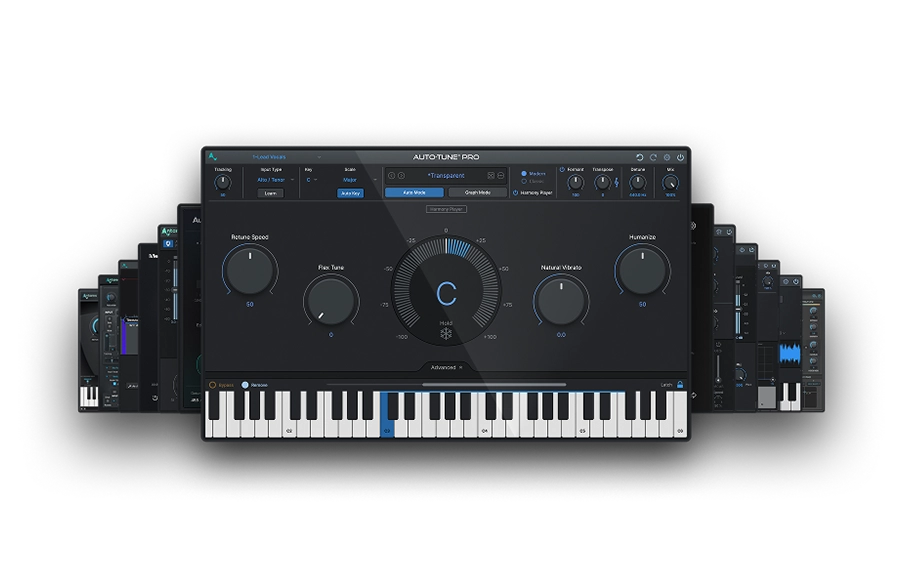
Make sure your vocals are release-ready before you distribute by using AutoTune 2026 and the full Antares vocal suite through AutoTune Unlimited.
What the Full Music Distribution Workflow Looks Like
- Pick a distributor based on your release frequency, your budget and whether you need extra services like publishing admin or sync pitching.
- Master your audio to streaming loudness targets and export 24-bit WAV files for the cleanest platform delivery.
- Lock down complete, accurate metadata across every track before upload so your profile does not split.
- Upload at least four weeks ahead of the release date and plan the rollout around Friday global release day.
- Register with a performance rights organization and a publishing administrator to capture every royalty stream your music generates.
Ready to Release Music That Sounds Release-Ready?
Distribution puts your song on every major platform, and the song itself is what decides whether anyone listens twice. A tight distribution strategy paired with a weak vocal never breaks through, because listeners notice the vocal quality first and the release art second. Fix the vocal before the distributor ever sees the file.
Ready to Release Music That Sounds Release-Ready? AutoTune 2026 is the pitch correction plugin sitting on the vast majority of commercial releases on Spotify and Apple Music today. Pair it with AutoKey 2 for instant key detection and AutoTune Unlimited for the full Antares vocal toolkit, so your next release lands on the DSPs already sounding like the records it is competing against.

AutoTune Unlimited
The Ultimate Vocal Production Suite
Frequently Asked Questions
What is music distribution?
Music distribution is the process of delivering your recorded music to streaming platforms and digital stores including Spotify, Apple Music, Amazon Music and YouTube Music. Independent distributors act as the middle layer between artists and DSPs, handling audio delivery, metadata submission and royalty collection on the artist's behalf.
How do you distribute your music?
To distribute your music, choose an independent distributor such as DistroKid, Ditto or CD Baby, master your audio to -14 LUFS with true peaks no higher than -1 dBTP, export as a 24-bit WAV file, complete all metadata including ISRC codes, songwriter credits and artwork at 3000x3000 pixels, then upload at least four weeks before your release date. After delivery, register with a performance rights organization like ASCAP or BMI and a publishing administrator to collect mechanical and performance royalties your distributor does not capture.
What bit depth and sample rate should I upload to streaming platforms?
Upload 24-bit WAV at 44.1 kHz or 48 kHz for every release, which is the spec every major DSP accepts and the format distributors expect on delivery. Higher sample rates like 88.2 kHz, 96 kHz or 192 kHz are worth recording and mixing at for the processing headroom, though DSPs downsample everything to 44.1 or 48 kHz for streaming delivery. The one exception is Apple Music's Apple Digital Masters tier, which streams lossless ALAC at the original sample rate up to 24-bit 192 kHz, so a higher-resolution master pays off there and nowhere else. 16-bit at 44.1 kHz still clears upload checks, though the lost 48 dB of mastering headroom means any compression artifacts show up faster in the lossy transcode the platforms generate on playback, which is why every commercial release goes 24-bit.
Which distributor is best for a new artist in 2026?
DistroKid, Ditto and Amuse are the three most common starting points for new artists, with DistroKid especially strong for releasers putting out a single or more per month. Pick based on whether you prefer an annual subscription model or pay per release.
How long does it take for a song to go live on Spotify after I upload?
Most distributors take 1 to 3 weeks to deliver a release to Spotify and Apple Music, though some premium tiers offer faster turnaround. Always upload at least four weeks ahead of your release date so you have buffer for any metadata corrections that come back from the DSPs.
Do I need to register with ASCAP or BMI if I already have a distributor?
Yes, because distributors collect mechanical and streaming royalties but not performance royalties. Your PRO registration is what unlocks royalty collection when your song plays on radio, in venues, on TV and in public spaces.
How much money can I actually make from streaming?
Spotify payouts typically run around $3 to $5 per 1,000 streams in 2026 and serious streaming income usually comes from some combination of sustained playlist placement, viral traction or a large active fanbase that streams your catalog repeatedly.
Can I distribute a cover song or a remix?
Covers require a mechanical license that most distributors can handle through a partner service like Easy Song Licensing. Remixes require permission from the original rights holders, which is much harder to obtain independently and usually needs a direct agreement with the original artist's label.

Exclusive AutoTune Content

AutoTune Pro


AutoTune Unlimited

AutoTune 2026 and Metamorph
Now Included

Antares Editorial
Antares is a leading developer of software for music recording and live performance. For over 20 years, Antares has powered the music of top-charting and indie artists with products including the industry standard for pitch correction, AutoTune™.