
The world of audio editing is as fascinating as it is complex. Crafting the perfect sound, whether for a podcast, movie, or other release, requires a thorough understanding of how audio frequencies work and a trained ear that can shape pleasant and compelling sounds.
Tools that were insanely expensive only a couple of decades ago are now available to anyone with a laptop. Furthermore, the music courses, tutorials, and in-depth articles on audio editing have democratized music production, allowing people with talent and determination to become audio experts and find everything they need to hone their craft online.
Today, we'll go over what it takes to start editing audio, whether you work in movies, radio, podcasts, or music. By the end of the article, you'll know enough to begin shaping your sound.
Let's dive in!
Audio Editing Basics
Audio editing is the process of manipulating sounds to make them more pleasant, blend them with visual elements, or reach industry-standard levels for the music and/or film industries. Audio editing involves various techniques, from cutting, trimming, and arranging audio tracks to enhancing or cutting certain frequencies to achieve a more pleasant sound.
While audio editing is often associated with music production, this is a craft you'll find across most creative fields: movies, podcasts, art installations, radio, and more. Let's analyze each field and see how audio editing affects it.
Music Industry
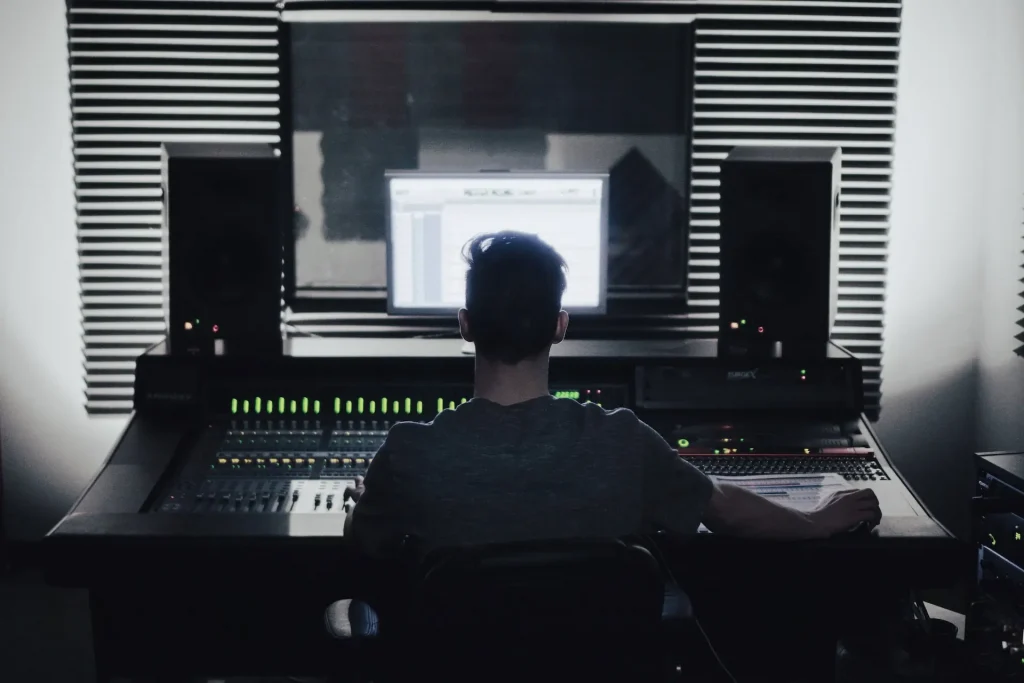
In the music industry, everything involved in bringing a song idea to life requires one form or another of audio editing.
Recording your song using a DAW and a good-quality microphone is a great starting point if you want to release a successful track. Once you record your track, you'll need to edit it: trim some parts to clean up the sound clips, remove specific frequencies, enhance others, add some effects like reverb or delay to make the sound more authentic, and much more.
Options are endless, and the editing process changes dramatically depending on the genre you work on. We'll analyze the most common audio editing practices later.
Film Industry
Audio has an undeniably significant impact on how we experience movies. In the film industry, audio editing is crucial for designing immersive soundscapes that magnify the emotional impact of visual storytelling. In this field, audio editors manipulate dialogue add sound effects, and compose musical scores to create a sonic environment that complements and supports the narrative. Meticulous audio editing is key to achieving a perfect blend of sound and visuals.
Podcasts
For podcasters, audio editing is essential for delivering clear and engaging content. You'll have to remove unwanted noise, edit and remove subtle errors, and balance volume levels for a smooth listening experience to achieve optimal results. Audio editing also allows podcasters to add music, sound effects, and other audio elements to enrich the main storytelling.
Radio Broadcasting
In radio broadcasting, audio editing ensures that programs are well-structured and create a cohesive narrative. Those who work in this field usually have to trim interviews, insert different parts of the dialogue, and arrange segments to create a coherent broadcast, just as you see on TV.
In the audio for radio, industry standards need to be met, and a show needs to be clearly audible regardless of how the audience is listening to it, which means working to ensure voices are clear, pleasant, and balanced.
The Importance of Audio Editing
Let's see how audio editing enhances the overall quality of sound:
- Precision and Clarity: Achieve accuracy by removing unwanted sounds, such as background noise, clicks, pops, and breaths. This process ensures cleanliness in the final audio output, making it a distraction-free listening experience.
- Timing and Flow: We can align and synchronize various audio elements to achieve perfect timing and flow through audio editing.
- Creative Control: Audio editing lets you shape and manipulate sound according to your artistic vision. Techniques such as pitch correction, equalization, and sound design allow experimentation and expression, resulting in unique musical content.
- Emotional Impact: In movies, podcasts, and other creative media, audio editing plays a crucial role in enhancing the emotional impact of a story. By carefully arranging and mixing dialogue, music, and sound effects, we can evoke specific emotions and immerse the audience in the narrative.


AutoTune Unlimited
The Ultimate Vocal Production Suite
What are the seven types of audio editing techniques?
Amplification
Amplification is the process of increasing the overall volume of an audio signal. Whether you need to make a vocal track stand out or give a gentle guitar strum more presence, amplification can help you bring audio elements to the forefront.
Compression
Keep it smooth and balanced. Compression is a technique that reduces the dynamic range of an audio signal, meaning the difference in your track between the loudest and softest parts will be minimized. This way, you will prevent peaks from clipping and make sure that the quiet elements are still clearly audible.
Limiting
Set the boundaries. When the amplitude exceeds the set threshold, the limiter automatically reduces the gain of the signal to keep it below the threshold.
Limiting differs from compression as it has a very high or infinite compression ratio: once the threshold is exceeded, the signal is aggressively reduced. In contrast, a compressor applies a gentler reduction in gain based on a specified compression ratio.
Let's take a look at an example to illustrate how limiting works:
- Let's say we have a drum track recording with loud peaks that are causing distortion when played back on a sound system. The maximum level the sound system can handle without clipping is -3 dB.
- We apply a limiter to the drum track and set the threshold to -3 dB. This means the limiter will reduce any audio signal exceeding -3 dB to prevent it from going over this level.
- As the drum track plays, most of the audio signal remains below the -3 dB threshold and is unaffected by the limiter. However, when a loud snare hit occurs, and the signal exceeds -3 dB, the limiter reduces the gain of the snare hit to keep it below the threshold.
- The result is a drum track with a more consistent volume level, where the loud peaks are controlled, and the risk of audio clipping and distortion is minimized.
Limiting is commonly used in audio mastering to ensure that the final mix is suitable for distribution and live playback without causing distortion.
AutoTune Unlimited
The Ultimate Vocal Production Suite
Panning
Panning allows you to place audio elements within the stereo field from left to right. Imagine an orchestra on stage: by using panning, you can recreate its spatial dimension in your mix.
By playing with panning, you can choose what instruments you want to have closer and which ones are in the background. Maybe some are on the left side while others are on the centre, or even get some percussion going from one side to another!
Equalization
EQ allows audio engineers and producers to enhance or reduce specific frequencies to shape the tonal characteristics of a sound or mix.
Let's say we have a vocal track recording that lacks clarity.
After analyzing the audio, we find a build-up of low frequencies that are masking the higher frequencies of the vocals less defined.
To fix it, we'll use a parametric EQ, which allows us to make precise adjustments to specific frequency bands.
We decide to apply a high-pass filter to the vocal track, which attenuates the low frequencies below a certain cut-off point.
Finally, we add a slight boost in the high-mid frequencies. We use the parametric EQ to create a bell-shaped boost around 3 kHz, a frequency range that often contributes to vocal presence.
The result is a vocal track with improved clarity and definition, where the low-frequency build-up has been reduced, and the crucial frequencies have been enhanced.
Normalization
Normalization adjusts the volume of an audio file to a standard level, usually the highest peak or average loudness. Whether you're prepping tracks for a podcast or an album, normalization ensures a consistent listening experience across different segments or songs.
Stereo Imaging
Stereo imaging boosts the spatial perception of your mix. If you mix a song with drums, bass, guitar, and piano, you will want to create some space. You can do it by adjusting the level, timing, and phase differences between a stereo signal's left and right channels.
Essential Audio Editing Tools with Antares
Introducing Auto-Tune EFX+ Version 10 | The Future of Vocal Processing

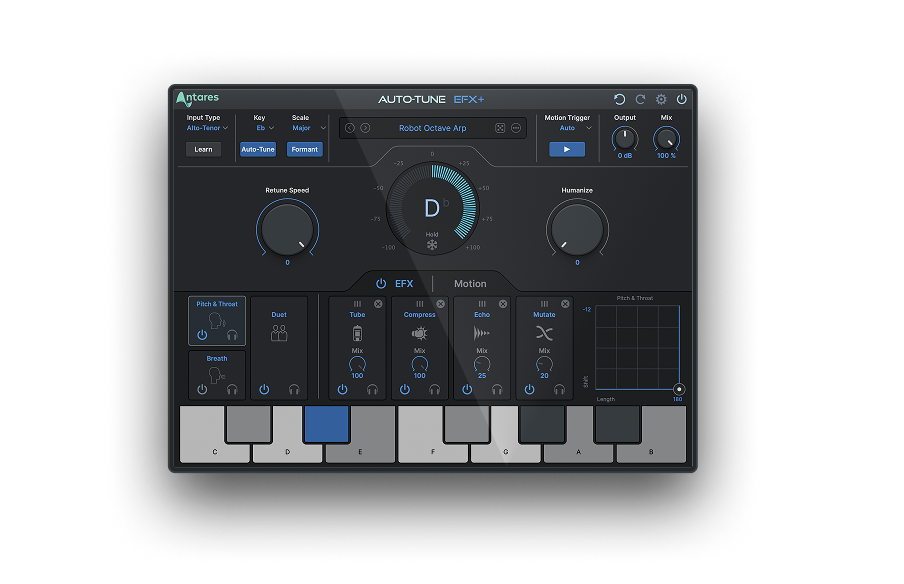
AutoTune EFX+
Creative Effects to Transform Your Vocal Tracks
Every music creator knows the challenge of achieving the perfect vocal performance—sometimes, it's the pitch that needs fine-tuning; other times, it's about adding a different creative flair to make your vocals shine.
Luckily, there are solutions to help you achieve vocal perfection without breaking a sweat.
For those looking to experiment with vocal effects and bring out their artistic side, Auto-Tune EFX+ is the Swiss Army tool of professional vocal effects, with endless effects, pitch-shifting capabilities and real-time control—ideal for live shows and studio recording.
And for those who need an all-in-one solution to upgrade their vocals, Auto-Tune Unlimited will help you push the boundaries of your creativity with industry-leading effects designed to achieve vocal perfection.
Experiment and take your music to a new level with Antares!

Exclusive AutoTune Content




AutoTune Unlimited

AutoTune 2026 and Metamorph
Now Included

Antares Editorial
Antares is a leading developer of software for music recording and live performance. For over 20 years, Antares has powered the music of top-charting and indie artists with products including the industry standard for pitch correction, AutoTune™.