
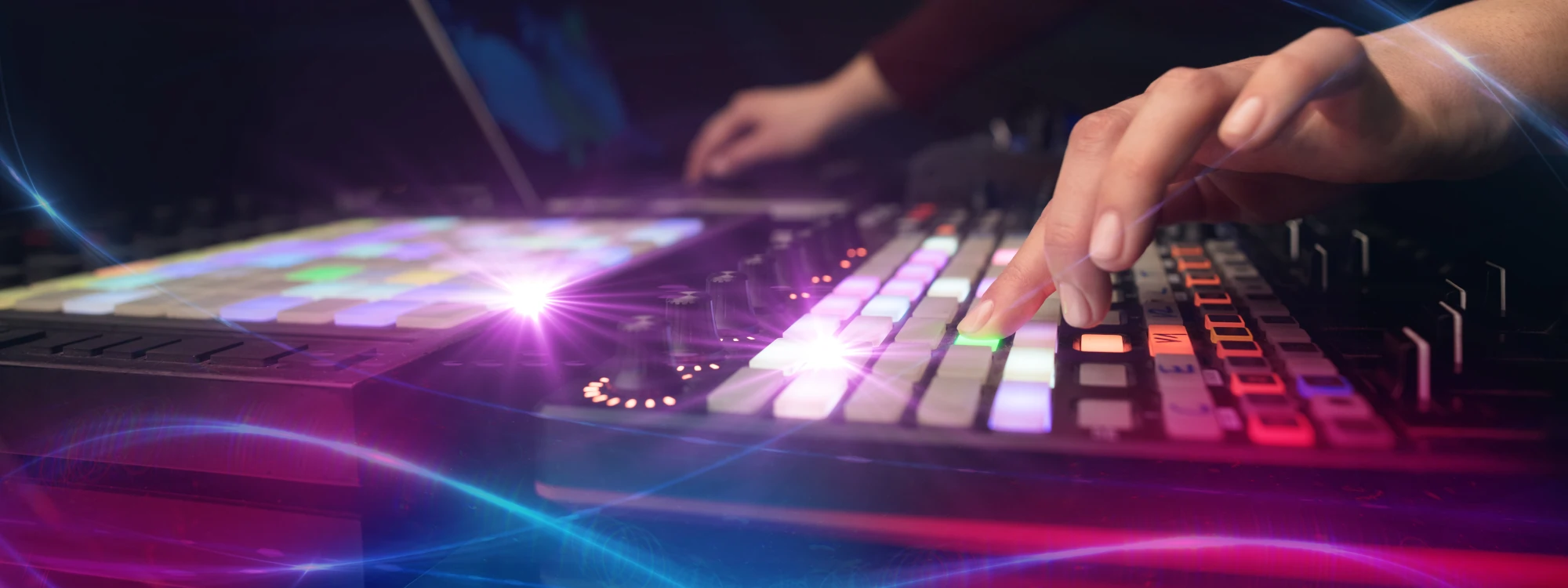
It's not an exaggeration when I say that MIDI single-handedly popularised digital music production. It empowers artists with an endless sonic palette that would be almost impossible to obtain in a fully analog studio and editing options that simplify the life and workflow of creatives immensely.
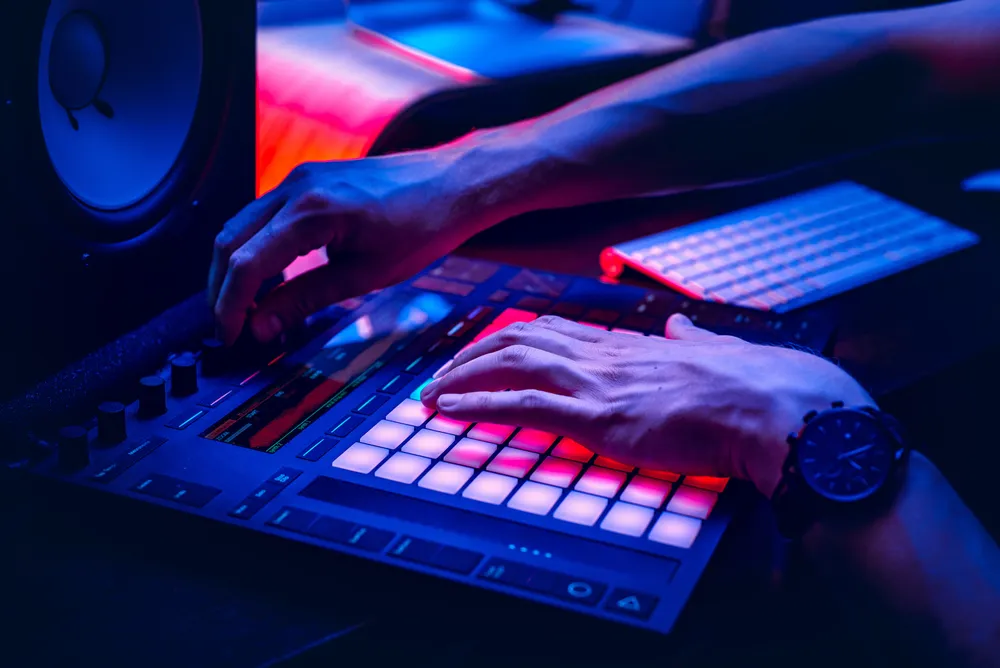
Yet most producers ignore what MIDI actually is and how it works. Knowing the story and functionalities of MIDI technology won't just give you the background of this powerful tool but also help you understand what you can do with it and how it can enhance your creativity.
Today, we’ll talk about the rise and evolution of MIDI, a crucial tool of the modern music producer’s arsenal, and the plethora of functionalities this technology offers to everyone.
What is MIDI?
In short, MIDI (Musical Instrument Digital Interface) is a technical standard that defines a protocol, a digital interface, and connectors. It facilitates communication between various electronic musical instruments, computers, and other devices. Although MIDI does not create sound, it transmits information about how music is produced, conveying messages about pitch, intensity, tone, and more.

MIDI transforms musical performance into a series of digital data that can be manipulated and reproduced with precision on a DAW (Digital Audio Workstation), making it a crucial component tool in modern digital audio production.
MIDI mostly communicates “event messages,” such as the note played, its pitch, length, and velocity. For example, when a MIDI keyboard is played, it sends data about which keys are pressed and with what intensity rather than actual sound. This data can be used to trigger sounds from a synthesizer or be recorded and edited using music software.
But MIDI can also transmit a variety of other control signals, including changes in parameters like volume, vibrato, panning, cues, and clock signals that keep tempo between devices. Such versatility allows musicians and producers to manipulate a wide array of musical elements in real-time or during post-production, enhancing creativity and streamlining the music-making process.
Historical Background
The birth of MIDI in the early 1980s was the result of collaborative efforts among various musical instrument manufacturers, and the main motivation behind MIDI's development was the need to overcome compatibility issues between electronic instruments produced by different companies.
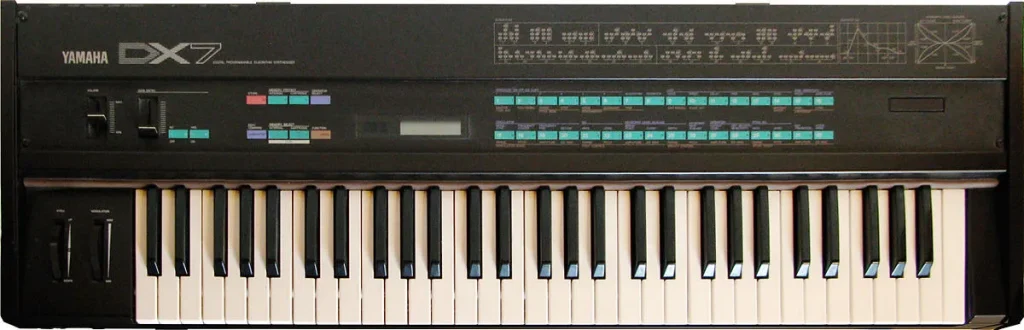
Before MIDI technology, electronic musical instruments like synthesizers and drum machines had largely self-contained functionalities: they could not easily communicate or synchronize with instruments from other manufacturers, therefore limiting the creative potential of musicians.
To address this issue, the biggest industry players at the time (Roland, Yamaha, Korg, and Sequential Circuits, among others) came together to develop a standardized digital language that could be used across a wide range of electronic instruments and devices.
The first public demonstration of MIDI technology was in 1983, with a Roland Jupiter-6 synthesizer controlling a Sequential Circuits Prophet-600. The impact of MIDI on the development of digital music technology was profound from the start.
The historical development of MIDI owes much to the pioneering efforts of Ikutaro Kakehashi and Dave Smith. Kakehashi, the Roland Corporation founder, and Smith, the Sequential Circuits founder, recognized the need for a universal digital language that would enable electronic instruments from different manufacturers to communicate and synchronize with each other. Their collaboration and vision made it possible to overcome the challenges of interoperability and in creating a standard that would revolutionize digital music production.
By allowing different electronic instruments and devices to communicate with each other, MIDI opened up new possibilities in music composition and performance and laid the foundation for the development of new genres in the realm of electronic and dance music. MIDI gave producers the possibility to bring to life more complex and layered compositions, as musicians could now control multiple instruments from a single keyboard or sequencer.
MIDI's introduction coincided with the rise of personal computing. Music production software, or DAWs, began to incorporate MIDI functionality, allowing composers and producers to sequence and edit music with absolute precision.


AutoTune Unlimited
The Ultimate Vocal Production Suite
Components of MIDI
We can divide the components of MIDI into messages, channels, and connectors/interfaces. Together, these tools offer an unprecedented level of control and flexibility and continue to adapt to the advancements in music technology.
MIDI Messages
Note On/Off Messages:
These are the most basic and essential MIDI messages. 'Note On' messages are sent when a key is pressed on a MIDI keyboard, showing which note is played and with what velocity. The 'Note Off' message occurs when the key is released, signaling the end of the note. This feature provides expressive control of note duration and intensity.
Control Change:
Control Change messages are used to adjust various parameters of the sound on a MIDI device, with parameters that include volume, pan, modulation, sustain pedal, and more. These settings offer real-time control of different aspects of the sound, adding variety to the sound.
Program Change:
These messages enable the selection of different sounds or “patches” on a MIDI device. This allows musicians to switch between different instrument sounds, effects or presets seamlessly during a performance or while composing.
MIDI Channels
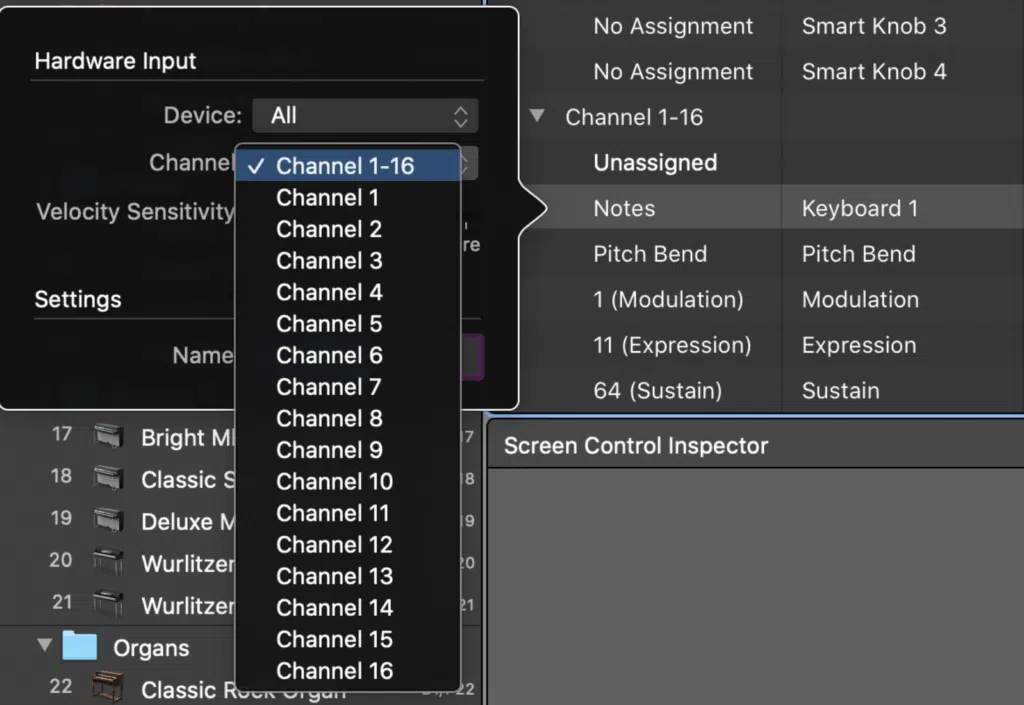
MIDI operates on 16 distinct channels, each of them managing the data sent to and from multiple devices. Each channel can carry messages for a separate instrument or sound, which means that up to 16 different instruments can be controlled independently through a single MIDI connection. This channel-based structure is at the core of digitally crafted arrangements and orchestrations, as it allows individual control over multiple layers and parts of a composition.
MIDI Connectors and Interfaces
5-pin DIN Connectors:
The original MIDI standard included the 5-pin DIN connector, which became the universal physical connection interface for MIDI instruments. These connectors transmit MIDI data between devices, enabling synchronization and communication with other musical instruments.
USB MIDI:
With the advancement of technology, MIDI interfaces have also evolved. USB MIDI has become the main type of connection, allowing artists to connect their MIDI devices directly to computers and other USB devices. This has simplified the connectivity and allowed the integration of MIDI with modern digital audio workstations.
Contemporary Interfaces:
Contemporary MIDI interfaces also offer wireless MIDI solutions using Bluetooth or Wi-Fi, further expanding the flexibility of MIDI in live performance and studio environments.
Upgraded protocols and extensions, like MIDI 2.0 in modern MIDI devices, offer higher resolution and more detailed control, focusing on the endless possibilities MIDI devices offer, especially in live performances, where real-time response is paramount.
Different Types of MIDI Controllers
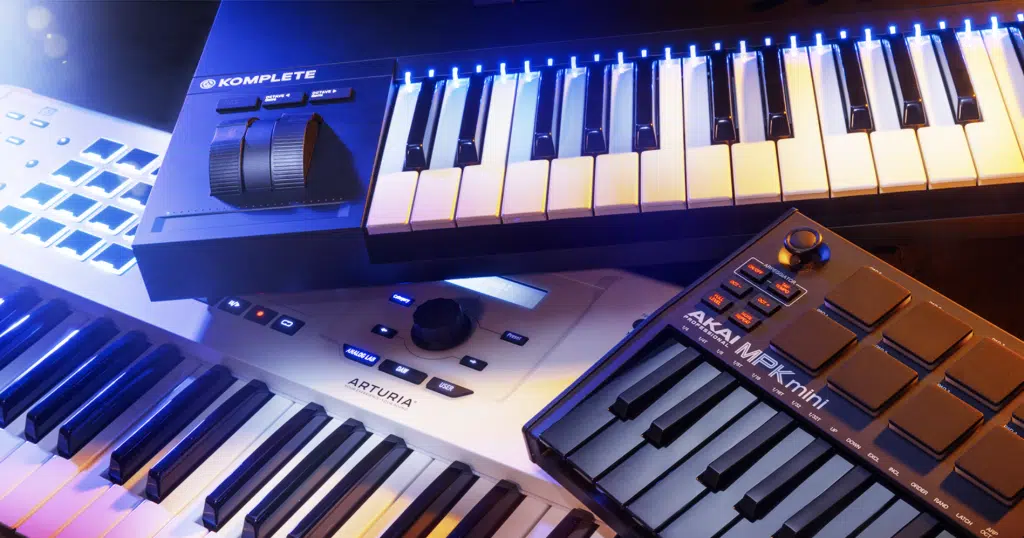
Let’s take a look at the different types of MIDI controllers you can get and which one will best suit your needs.
- Keyboard Controllers: Ideal for pianists and keyboardists, these controllers mimic the layout of a piano and are great for composing melodies and chord progressions. If you’re a composer, a keyboard controller is a must have.
- Pad Controllers: Perfect for beat-making and triggering samples, pad controllers offer a tactile experience and are often compact. They’re great for drummers and electronic music producers, and are often used live to trigger sounds or customize a drumkit with digital sounds.
- Wind Controllers: These are designed for wind instrument players, recreating the feel of instruments like saxophones. They're ideal for realistic wind instrument sounds but might have a steep learning curve for non-wind players.
- Guitar MIDI Controllers: Resemble guitars and are great for guitarists wanting to access MIDI.
- MIDI Mixers: These controllers are designed for mixing tracks and controlling audio software, and usually feature faders, and knobs, making them the best choice for sound engineers and producers who want a tactile mixing experience.
- MIDI DJ Consoles: Tailored for DJs, these controllers include jog wheels, faders, and pads, suited for live mixing and triggering effects. They’re specialized tools used for DJing, but if that’s what you’re into, MIDI DJ consoles offer the best value for money, hands down.
Using MIDI Controllers
To use a MIDI device as a controller, follow these steps:
- Connect the device: First, connect your MIDI device to your computer. If it has a USB port, use a USB cable. For keyboards without USB, you can use a MIDI-to-USB interface, plugging the MIDI end into the keyboard and the USB end into your computer.
- Install Necessary Drivers: Some MIDI keyboards require drivers to communicate with your computer. If that’s necessary, download and install these from the keyboard manufacturer's website.
- Open Your DAW: Launch your Digital Audio Workstation. Each DAW will have its unique way of recognizing MIDI devices. It's always better to check the compatibility between your MIDI device and your DAW of choice before purchasing.
- Configure DAW for MIDI Input: In your DAW, find the MIDI settings (often in “Preferences”). Ensure your MIDI keyboard is listed as an input device. This step usually requires selecting the keyboard model from a list or simply enabling MIDI input.
- Assign Instruments to the Keyboard: In your DAW, you can assign virtual instruments or specific tracks to be controlled by the MIDI keyboard. This is usually done through the track's instrument settings.
- Play and Record: Now, you can play the MIDI keyboard to control the assigned instruments! Record your performance in the DAW, where it will be captured as MIDI data.
- Map Additional Controls: If your MIDI keyboard has other controls like knobs, sliders, or drum pads, you can map these to control various parameters in your DAW, such as adjusting volume, changing effects, or triggering samples.
By using a MIDI controller together with Antares' powerful Auto-Tune products, such as Auto-Tune Pro X and Harmony Engine, you can achieve real-time manipulation of pitch correction and harmony creation.
For Auto-Tune Pro and Auto-Tune Artist in Logic Pro X, the integration process couldn’t be easier: create audio and software instrument tracks, set the output of the audio track to "No Output," and load Auto-Tune as an AU MIDI-controlled effect.
Then, you can select the audio track in the side chain menu of Auto-Tune and enable MIDI control in the plugin settings to manipulate pitch correction in real time with your MIDI controller.
For Harmony Engine, the setup includes creating tracks, choosing Harmony Engine as an instrument input, and configuring the side chain input. Setting the "Harmony Source" to "MIDI Omni" allows you to use your MIDI controller to harmonize audio inputs in real-time or to use a pre-recorded MIDI file for the harmonization.
Applications of MIDI
MIDI is a versatile tool that greatly simplifies music production tasks like sequencing, synthesizing, and composing. With MIDI controllers, producers can program and arrange music, providing precision and versatility when creating complex musical pieces. In synthesizing, MIDI helps sculpt unique sounds and textures, which define a track's sonic character.
In live music settings, MIDI controllers enable performers to manage various aspects of their performance without using dozens of different musical instruments. For instance, thanks to the integration of tools like Auto-Tune Artist with MIDI setups, which enhances live vocal performances, artists can apply real-time pitch correction with MIDI control, bringing to life a polished and professional sound while on stage.

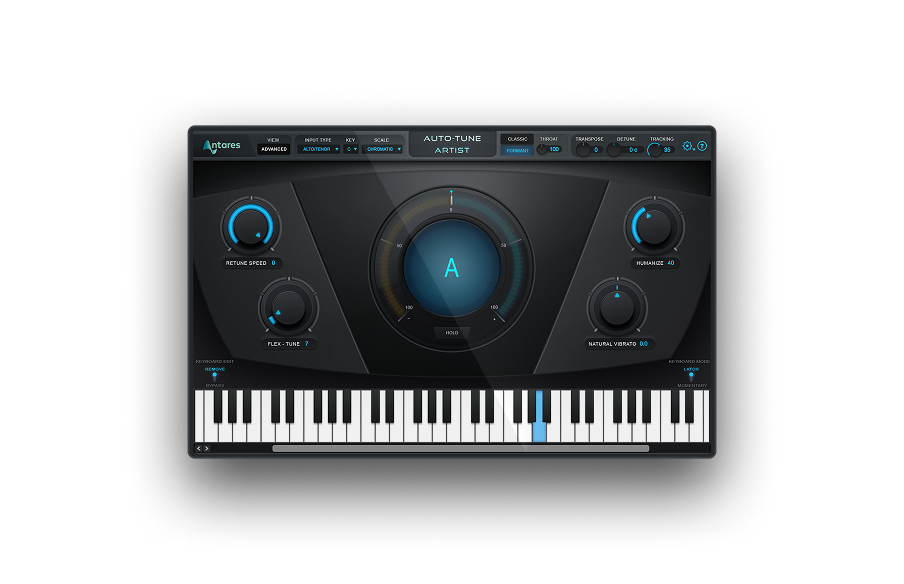
AutoTune Artist
Pitch Correction for Live Performance
For decades, MIDI's application in film scoring and video game soundtracks has empowered countless artists and helped them shape unique sound textures. The technology allows composers to create rich, layered scores and intricate sound effects, enhancing the storytelling and emotional impact of films and games without the huge financial investment required by professional orchestras and recording studios.
Finally, MIDI is also great for music education. It’s a versatile tool for teaching music theory, composition, and performance techniques without investing in traditional musical instruments. With MIDI, students can interact digitally with a wide array of instruments and sounds, even those that are physically inaccessible.
For students learning composition, MIDI offers the unique experience of arranging and orchestrating music directly on a DAW, while for those studying performance, the technology provides an opportunity to practice with different styles and genres.
Evolution of MIDI
The evolution of MIDI technology has never stopped, but had a major upgrade with the introduction of MIDI 2.0, almost forty years after MIDI was invented.
This latest version offers better resolution, more expressive control, and improved compatibility with modern digital music technology. Plus, it has introduced new features such as enhanced dynamics, articulation, and timing information, offering an even wider range of creative possibilities for musicians and producers. Other interesting features include MIDI-CI for capability inquiry and protocol negotiation, higher-resolution messages, and the ability to simplify communication between MIDI 1.0 and 2.0.
MIDI's integration with digital audio workstations and virtual instruments is the foundation of modern music production, and professional DAWs are deeply integrated with MIDI, allowing complex sequencing, editing, and manipulation of MIDI data. Since its inception, this integration has made it possible to use virtual instruments that offer an extensive range of sounds and effects that can be controlled via MIDI.
Final Thoughts
MIDI has completely transformed the music industry by allowing electronic instruments and computers to communicate with ease, which in turn made music production accessible to a broader range of artists and enthusiasts, who simply couldn’t afford the costs of a fully-analog production.
MIDI’s simplicity and versatility have made complex music composition and production achievable for anyone. By constantly evolving and adapting to the producers’ needs, MIDI has continued to streamline musical innovation and expression, adjusting to the new demands without losing its unique accessibility.
If you’re new to the world of music production, getting a MIDI controller might well be the best way to start your creative journey: they’re affordable, easy to use, and endlessly customizable.
Have fun, and stay creative!
Frequently Asked Questions
What does MIDI stand for?
MIDI stands for Musical Instrument Digital Interface. It's a technical standard introduced in 1983 that allows electronic musical instruments, computers, and other devices to communicate with each other by sending performance and control data (such as which notes to play, how loud, and for how long) rather than transmitting audio itself.
How does MIDI work?
MIDI works by sending instructions, not sound, between devices. When you press a key on a MIDI keyboard, it sends a small data message saying "this note, this velocity, this duration" to your computer or sound module, which then triggers a corresponding sound from a virtual instrument or hardware synthesizer. This makes MIDI files tiny in size and infinitely editable after recording.
What's the difference between MIDI and audio?
MIDI is performance data (note instructions), while audio is the actual recorded sound waveform. A MIDI file might be 10 KB and contain only note information, while the same song as an audio file (WAV or MP3) might be 5 MB or more. MIDI is editable note by note after recording; audio is a fixed sonic recording that's much harder to alter.
What is a MIDI controller?
A MIDI controller is a hardware device, typically a keyboard, drum pad, or knob and fader surface, that sends MIDI data to a computer or synthesizer to trigger sounds and control parameters. Popular MIDI controllers include the Akai MPK Mini, Native Instruments Komplete Kontrol, and Novation Launchpad. They don't produce sound on their own; they tell other devices what to play.
What is MIDI 2.0?
MIDI 2.0 is the next generation MIDI standard, finalized in 2020, which expands on the original 1983 specification with bidirectional communication, higher resolution velocity and controller data, individual note expression controls, and improved device discovery. MIDI 2.0 is fully backward compatible with MIDI 1.0 devices, so older instruments still work with newer DAWs and controllers.

Exclusive AutoTune Content

AutoTune Pro


AutoTune Unlimited

AutoTune 2026 and Metamorph
Now Included

Antares Editorial
Antares is a leading developer of software for music recording and live performance. For over 20 years, Antares has powered the music of top-charting and indie artists with products including the industry standard for pitch correction, AutoTune™.