

We've recently updated Auto-Tune Pro X to feature full ARA2 support for Logic Pro and Studio One DAWs! This powerful new update simplifies and speeds up data throughput between DAWs and plug-ins for vastly improved workflow.
ARA2 brings the DAW and the plug-in closer together to greatly increase the amount of communication between the two environments. With ARA2, the DAW integrates with a plug-in in a more targeted, effective manner. Crucial session information like audio data, tempo, pitch, and rhythm are exchanged instantly between the plug-in and DAW for improved workflow and ease-of-use under ARA2.
Additionally, ARA2 saves a huge amount of time by instantly populating the Graph Mode with track information instead of having to wait for the plug-in to collect all the information. This enhanced integration makes working in Graph Mode significantly more intuitive, efficient, and fast.
Auto-Tune Pro X currently supports comprehensive ARA2 integration with Studio One and Logic Pro, with expansion to other DAWs in the future. Presently, some major DAWs have yet to implement ARA compatibility.
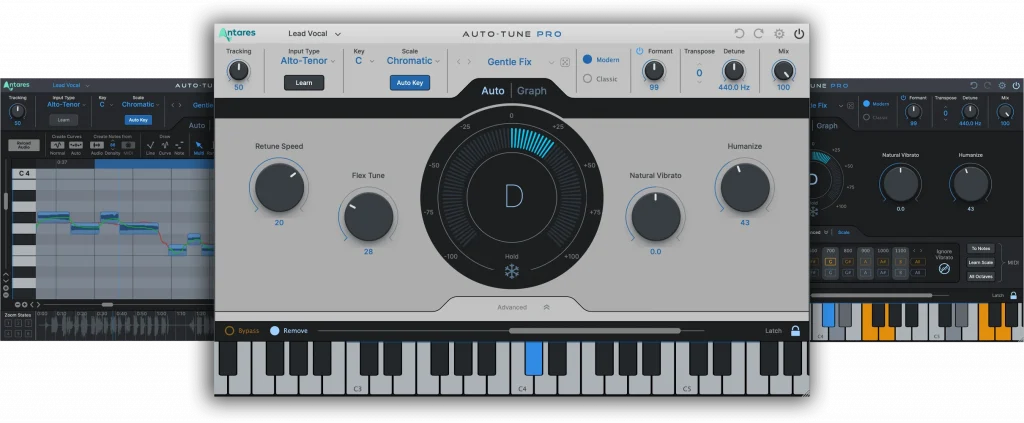
Tune Your Tracks—No Waiting
So how does the ARA2 support in Auto-Tune Pro X make your workflow more efficient?
With ARA2 you can import audio and pitch data into Auto-Tune Pro X instantly, letting you immediately start tuning and editing in Graph Mode. Imagine how much time that will save you, particularly if you have a lot of vocal tracks in a song.
Another critical improvement with Auto-Tune Pro X’s ARA2 implementational is bi-directional synchronization between Auto-Tune and your DAW’s transport. In the past, if you wanted to check an edit in Graph Mode and hit play on your DAW’s transport, it would start from wherever its playhead was located. Often, that would be somewhere other than the edit point on our Graph, which forced you to reset the playhead’s location. Not only would that slow you down, but it could distract your focus.
However, under ARA2, Auto-Tune and your DAW’s transport are synchronized. Wherever you click last in the Graph determines where playback will start. The playhead indicator line actually SHOWS you where you are located on the Graph when the transport is stopped so you see exactly where your audio will start playing when you hit ‘play.’ This new advance makes a big difference in improving workflow speeds and efficiency.

The enhanced communication also allows for synchronization of the loop ranges between Auto-Tune and your DAW. Defining a loop range in Auto-Tune is now possible by dragging in the time ruler located at the top of the Graph. When you do so, the plug-in instantly communicates the loop location to the DAW, which adjusts its loop range accordingly. Of course it works in reverse, too! Any adjustment in the DAW’s loop display will be reflected in our Graph. Now, when you want to loop a section you’re editing, it’s fast and easy.
Different Strokes
Opening up Auto-Tune Pro X as an ARA2 extension is a tad more involved than loading a regular channel insert. Each of the supported DAWs has a slightly different method for doing it.
In Studio One, the quickest way is to locate Auto-Tune Pro X in the Effects menu, hold down the “Option/Alt” key and drag and drop Auto-Tune onto an audio event in the timeline. Watch this video to learn more about ARA2 support for Studio One in Auto-Tune Pro X.
In Logic Pro, open the Audio Effects Slot for the track that you want to insert Auto-Tune on, and you’ll see choices for Auto-Tune Pro X and Auto-Tune Pro X ARA. Select the latter. Watch this video to learn more about ARA2 support for Logic Pro in Auto-Tune Pro X.
Be An Auto-Tune Pro
Auto-Tune is the industry standard in pitch correction, and Auto-Tune Pro X is the most powerful version yet. Whether you’re purchasing Auto-Tune for the first time, own a previous version or subscribe to Auto-Tune Unlimited, you’ll want to experience Auto-Tune Pro X for yourself.
Thanks to ARA2 support for Logic Pro and Studio One, vocal tuning and creating vocal effects has never been as efficient or as easy.

AutoTune Pro


AutoTune Unlimited
