
A live vocal chain is the signal processing path that shapes a vocalist's sound in real time during a performance. It typically runs pitch correction, EQ, compression, de-essing and harmony generation simultaneously through a DAW or hardware rack, all while keeping latency low enough that the performer never notices the processing.
A studio vocal chain and a live vocal chain share the same tools, but the demands are fundamentally different. In the studio, each plugin processes a recorded file. There's time to adjust, print, listen back and redo. Live, every plugin is processing the incoming vocal as it's being sung, with no second take. The vocalist is moving across the stage, changing mic distance constantly, and the dynamics swing far wider than anything a studio performance produces. The acoustic environment is unpredictable and changes from venue to venue, sometimes from song to song if the wind shifts. CPU stability is non-negotiable because a processing spike doesn't just degrade audio quality, it drops the vocal out of the PA entirely. Every plugin in the chain has to be configured for speed and reliability first, fidelity second.
Festival main stage sets raise the stakes further. The vocal production behind a headliner performance involves all of these processors running simultaneously for 60 to 90 minutes in extreme weather conditions, crowd noise and the bass from neighboring stages shaking through the ground. This is the rig for the FOH (front-of-house) engineer, playback engineers or touring artist who need the live vocal to sound as close to the studio recording as possible every night.
If Low Latency and a simple setup is what you’re after, AutoTune 2026 in Low Latency mode handles fast, reliable pitch correction with zero complexity. The complete Coachella vocal production checklist covers both paths side by side. This blog is for the engineers and artists who need the full chain.
Live Vocal Chain Signal Order at a Glance
- Pitch correction: AutoTune Pro in Low Latency mode
- EQ: Shape tone for the PA and acoustic environment
- Compression: Control dynamics for a moving performer
- De-essing: Catch the sibilance compression amplifies
- Reverb: Add spatial depth and dimension after the vocal is clean
Beyond Pitch Correction: What a Live Vocal Chain Solves
Pitch correction handles tuning. It does not handle:
- The sibilance that turns painful through a festival PA’s high frequency drivers when it’s throwing sound a quarter mile
- The dynamic range of a vocalist dancing across a 60-foot stage, changing their distance from the mic constantly
- The tonal balance a voice needs to cut through 100,000 watts of subwoofer energy bleeding over from the stage next door
Each of those problems has a specific tool to help solve them. AutoTune Pro handles pitch correction with granular, per-song control. Our Vocal Chain handles EQ, Compression, and De-Essing. Harmony Engine generates live vocal harmonies from a single voice.
Per-Song Pitch Correction Control in AutoTune Pro
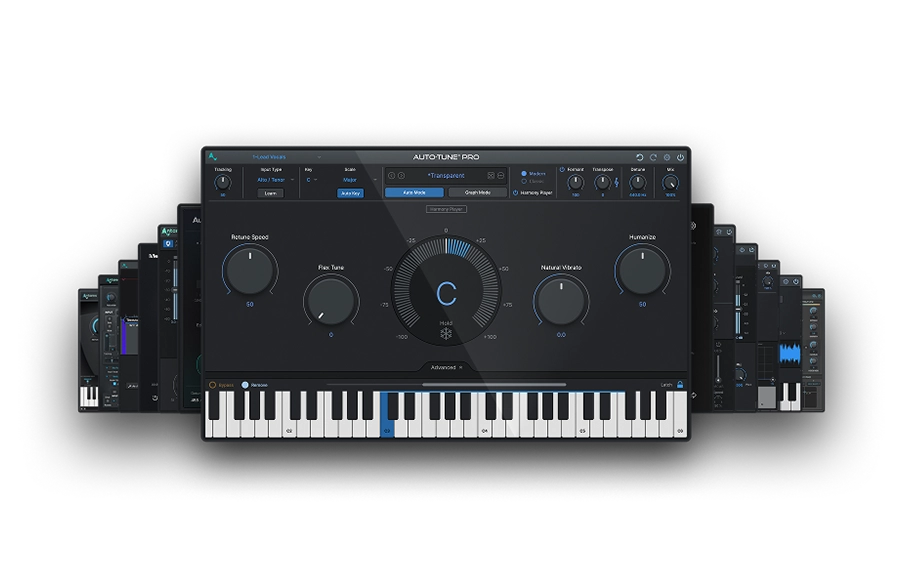
AutoTune Pro is the right choice over AutoTune 2026 when deeper parameter access is needed across the setlist. Advanced Vibrato and Formant controls, per-song preset recall, and Smart MIDI Hardware Mapping give the FOH engineer flexibility that AT2026 intentionally trades away for simplicity.
Smart MIDI Hardware Mapping is where Pro pulls away in a live context. Any parameter in AutoTune Pro can be assigned to a physical knob, fader or pad on a MIDI controller by right-clicking the control and moving the hardware. That means Retune Speed, Formant correction, or Vibrato depth can be adjusted during the performance without touching a screen. For an engineer managing vocals on a headliner set, that kind of hands-on physical control changes the workflow entirely. Multi-View lets the engineer switch between separate AutoTune tracks in a single window, which matters when handling multiple vocal channels across a produced show.
Pro also includes a built-in 4-part Harmony Player powered by Harmony Engine. Each harmony voice can be individually controlled for formant, pan and level, and all four voices are MIDI-triggerable for instrument-like playability during a live set. For artists who want harmony generation directly inside AutoTune Pro rather than running Harmony Engine as a separate plugin, this consolidates the workflow.
A pop artist’s setlist can move from an uptempo dance track to a stripped-back ballad to a high-energy closer. The uptempo material needs tighter correction and faster Retune Speed with minimal Humanization. The ballad section might need Flex Tune opened up to let the vibrato breathe, and natural pitch expression come through, because the audience came for the emotion in that song, and they can feel when it’s been squeezed out. The closer pushes back to aggressive correction for an anthemic vocal moment where every note needs to hit dead on the money. Pro lets whoever is in control build those per-song profiles and switch between them with ease.
The production teams behind artists like The Weeknd and Beyoncé run this level of per-song vocal control at every festival and arena date, including headliner sets at events like Coachella. Their engineers manage multiple vocal channels with different correction parameters, because the vocal character has to shift across the setlist the same way it shifts across an album. How pitch correction parameters shape the vocal result is covered in a separate guide. For the broader festival prep checklist that covers both the quick-setup and full-chain paths side by side, the Coachella vocal production checklist breaks it all down.
Shaping Tone for the PA and Open-Air Acoustics with Vocal EQ
Most engineers put EQ after pitch correction in the chain. The corrected signal is tonally clean, and now it gets sculpted for the specific PA system and the outdoor acoustic environment.
Vocal EQ's Learn function listens to the incoming vocal and sets an optimized EQ curve for that specific voice. Running Learn during soundcheck gives a starting point calibrated to the real acoustic conditions of the outdoor stage. That's faster and more accurate than dialing six bands manually under time pressure.
The frequencies that matter most outdoors:
- 150 to 250 Hz is where muddiness lives. Too much low-mid energy makes the vocal sound boxy through a large PA.
- 2 to 5 kHz is where the vocal cuts through a dense instrumental mix. This matters more in open air where sound disperses instead of reflecting.
- 12 kHz and above adds presence and air, but pushing it too hard amplifies sibilance through horn-loaded drivers designed to cover massive areas.
Dynamics Control for a Moving Stage Performer using Vocal Compressor
Compression comes after EQ, so the compressor responds to a tonally balanced signal. Live vocal dynamics are more extreme than studio dynamics. The vocalist is covering ground across the stage, turning away from the mic, doing a dance move, pushing hard on sections where energy is high, and pulling back when things get intimate. Without compression, the quiet parts vanish and the loud parts clip.
Vocal Compressor’s Assist analyzes the incoming vocal and recommends settings for the specific performance. The Controlled preset is a strong starting point. Ratio and Threshold get set conservatively during soundcheck and tightened if the vocal is still inconsistent during the opening song. For a performer who moves a lot, the compressor is managing gain swings from physical movement, just as much as vocal dynamics.
Vocal De-Esser: Fixing What Compression Creates
De-essing comes after compression because compression can make sibilance more pronounced by pushing up the level of high-frequency transients relative to the rest of the signal. On a festival PA, where high-frequency content is being projected through horn-loaded compression drivers designed to cover enormous areas, unchecked sibilance becomes physically uncomfortable for anyone in the coverage pattern.
Vocal De-Esser detects sibilance in real time and reduces it without touching the rest of the vocal. The AI detection sets the threshold during soundcheck based on the outdoor PA response and the specific vocalist's sibilance profile.
Vocal Reverb: Adding Space to the Live Vocal
Reverb is typically the last thing added, usually done on a parallel send or bus usually done on a parallel send or bus after the vocal has been pitch corrected, EQ'd, compressed and de-essed. Adding reverb to a signal that still has sibilance or dynamic problems amplifies those problems inside the reverb tail, so every other processor needs to do its job first.
Vocal Reverb adds spatial depth and dimension to the vocal through the PA. In a studio mix, reverb makes the voice feel like it exists in a real acoustic space. Live, it does the same thing, but the acoustic environment is already providing its own ambience, especially outdoors where the PA is projecting into open air. The goal is to add just enough that the vocal sounds full and present without pushing it back in the mix or creating a wash that competes with the instruments.
Outdoor stages need less reverb than indoor venues. There are no walls returning early reflections, so any reverb on the vocal is purely from the plugin. A short plate or room setting adds warmth and presence without making the vocal sound distant. Longer hall reverbs that work in an arena set can feel disconnected on an open-air festival stage because there's no physical space reinforcing the effect. Start subtle at soundcheck and increase until the vocal feels natural within the PA coverage.
The R&B and rap vocal chain guide covers reverb selection and settings in studio detail. The same principles apply live, adjusted for the PA and the outdoor acoustic environment.
Live Vocal Chain Signal Order
The chain runs in this order:
- AutoTune Pro: pitch correction first, before anything alters tonal character
- Vocal EQ: shape tone for the PA and acoustic environment
- Vocal Compressor: control dynamics on the tonally balanced signal
- Vocal De-Esser: catch the sibilance compression made worse
- Vocal Reverb: parallel send or separate track fed by the lead vocal
This is the same order used in studio mixing. Each plugin responds to the cleanest, most appropriate signal for its specific function. The R&B and rap vocal chain guide covers the logic behind this order in detail.
Get the Full Live Production Rig
AutoTune Pro, the complete AI-Powered Vocal Chain, Harmony Engine, AutoKey and AutoTune 2026 are all included in AutoTune Unlimited. Every tool in this blog runs from one subscription.

AutoTune Unlimited
The Ultimate Vocal Production Suite
Frequently Asked Questions
What is the correct signal chain order for live vocals?
Pitch correction first, then EQ, then compression, then de-essing, then reverb. This order ensures each plugin processes the cleanest signal for its specific function.
When should AutoTune Pro be used instead of AutoTune 2026 for live performance?
When the set requires Graph Mode, per-song correction profiles or a full vocal processing chain with EQ, compression, de-essing and harmony generation. AutoTune 2026 handles fast, streamlined correction with minimal setup when that level of control isn't necessary.
What order should the live vocal chain follow?
AutoTune Pro (pitch correction) → Vocal EQ → Vocal Compressor → Vocal De-Esser, with Vocal Reverb running on a parallel send. Each plugin processes the cleanest signal for its specific function when ordered this way.
Can the full chain run in real time without latency or CPU problems?
Yes. The vocal chain plugins operate with low latency for real-time use. AutoTune's rebuilt algorithm runs up to 35% more efficiently at 48kHz, and the chain is designed to remain stable in live rigs. CPU load depends on hardware, so the full chain should be tested under performance conditions before the festival.
Is a dedicated FOH engineer needed to manage this chain live?
For the most complex production scenarios, a dedicated vocal chain engineer is ideal. For smaller touring setups, pre-programming per-song settings with scene recall lets a single engineer handle the chain alongside the rest of the mix. The AI Assist and Learn functions across the chain reduce manual configuration at each venue.

Exclusive AutoTune Content

AutoTune Pro


AutoTune Unlimited

AutoTune 2026 and Metamorph
Now Included

Antares Editorial
Antares is a leading developer of software for music recording and live performance. For over 20 years, Antares has powered the music of top-charting and indie artists with products including the industry standard for pitch correction, AutoTune™.