

Vocals are the heart and soul of a mix. They are often the first thing a listener hears and the song's focal point, so getting the best vocal chain for your recordings is crucial.
But how can we get results at home that are comparable with high-end music production setups? The secret is to find the right tools to make your voice shine and blend it in ways to make it truly stand out.
In this article, we'll look at how we can craft the perfect vocal chain in post-production.
Let's dive in!
What Is A Vocal Chain?
The vocal chain refers to the series of processes and effects applied to a vocal recording to refine and enhance its characteristics. Each step you'll take plays an essential role in creating a powerful and polished vocal sound.
Why is mastering the vocal chain so important? Because industry standards need to be satisfied to release a successful track. If you listen to the vocals in professional albums, you'll notice they sound pristine and perfectly pitched. To achieve this result, you need to record your music professionally and then apply all the necessary effects to enhance the vocals.

Tips To Keep In Mind For Vocal Mix:
Mastering the vocal chain is crucial for improving the sound of your songs. Here are some tips to elevate your music and enhance your vocals.
Recording
First of all, choosing the right microphone is crucial when you want to record great vocals. Even though plug-ins can do wonders these days, when the raw audio material is subpar, there's no way of making it sound professional in post-production.
Use a condenser microphone if you're recording in a studio or at home. This type of mic can capture the voice's entire frequency range faithfully, and while they're less "forgiving" than dynamic microphones, they're the best choice to get pristine audio recordings.
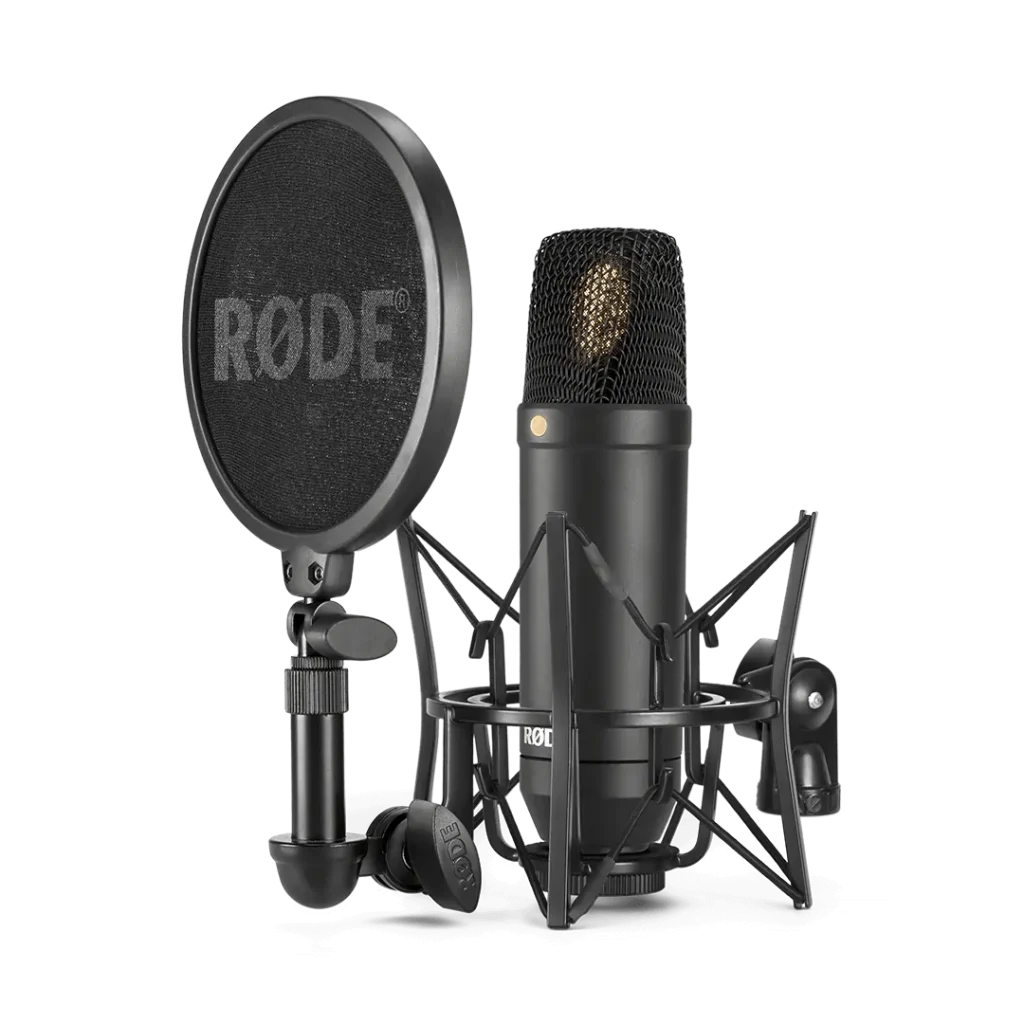
There are endless options when it comes to microphones for vocals, but my favorites are the Rode NT1 and the Shure SM7B. These little beasts provide excellent quality without breaking the bank.
Ensure you're positioned correctly when facing the microphone to get the best sound possible and use a pop filter to reduce plosives (those hard "p" and "b" sounds).
Finally, consider adding some subtle delay and Auto-Tune to your monitor mix while recording: in this way, you can focus on the vocal's overall vibe rather than worrying about getting the pitch right.
Tuning
The tuning process usually comes before polishing your vocals. A tuning plug-in can help you get the vocals in key and sound perfect. Expand your creativity further with the legendary vocal tuning and effects of Auto-Tune Unlimited.

Vocal EQ
Clarity Above All
Gate
A noise gate can help eliminate unwanted noise, like background hum or breathing sounds. Just be careful not to remove any natural breaths that can add an authentic feeling to the performance.
Subtractive And Additive EQ
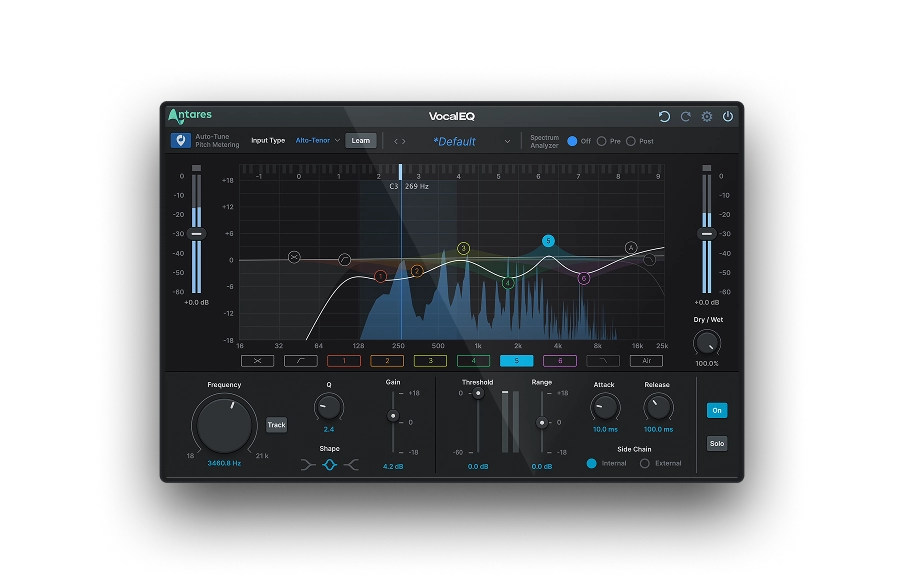
A subtractive EQ is often used to remove unwanted frequencies and make room for the vocals in the mix. For example, if the vocals sound boxy, you could cut out some low-mid frequencies to help give them space in the mix. On the other hand, if the vocals sound too bright, you could cut out some of the high frequencies to make them sound warmer.
An additive EQ allows you to enhance certain frequencies and highlight the most crucial harmonics while keeping the voice natural and deep.
By carefully crafting the frequencies of your vocals, you'll add clarity to your mix and get it ready for publication. The best tools you can apply to your vocal chain are Auto-Tune Vocal EQ and Mic Mod, two plug-ins that can help define and magnify the quality of your recordings.
Since the topic is quite intricate and goes beyond the scope of this article, I'd recommend checking out our post on the Basics of Using a High-Pass Filter to find out more.
Saturation
Saturation can add warmth and character to the vocals, making them sound more organic. For example, if the vocals sound too artificial add a touch of saturation to make them sound more natural. If the vocals sound too saturated, adjust the amount of saturation with the knob until you achieve the optimal result. Both our vocal compressor and our standalone plug-in Warm feature a saturation effect to add the intensity and authenticity your vocal track needs.
Compression
Introducing Auto-Tune Vocal Compressor | Dual-Stage Compression Powered by Machine Learning
Compression helps control your vocals' dynamic levels, making them sound more consistent.
One of the best ways to add compression while maintaining the natural characteristics of vocals is by applying parallel compression. Simply put, parallel compression is the process of blending two identical tracks, one compressed and the other uncompressed, in your mix. You can then control how the signals are mixed with a wet/dry control knob, giving you more control over the track's dynamics.
Experiment with a wide range of compression styles and approaches with Auto-Tune Vocal Compressor.
Reverb And Delay
Give the vocals some space and depth with reverb and delay plug-ins. A touch of reverb can add room to your vocals and make them sound like they're part of the mix. Be careful not to overdo it though: too much reverb can make the vocals sound distant and washed out.
On the other hand, a short delay can help add depth to your vocals and make them sound wider.
Similarly to compression, reverb and delay are often applied on a Mix Bus to make the sound more coherent and simplify your workflow.
Pitch Correction
While getting the best performance possible during recording is essential, pitch correction can help tidy up any off-pitch notes and make the vocals sound more in tune. Depending on the genre you're working in, it might be crucial to use pitch correction sparingly and in moderation, as too much can sound unnatural and take away from the authenticity of the performance.

What Are the Best Vocal Chains?
A wide range of plug-ins are available for each step of the vocal chain, so it depends on personal preference and the specific needs of your mix. To save you some time, here are some of the most popular vocal plug-ins in the market.
Starting from the basics, for a clean EQ you can try Fabfilter Pro-Q 3 or Auto-Tune Vocal EQ. All major DAW hosts will also have a clean sounding EQ available as part of their built-in stock plug-ins. For compression, FF Pro-C2 and Oxford Inflator are popular plug-ins with many musicians and the new Auto-Tune Vocal Compressor is likely to quickly gain favor.
If you are experimenting with reverb, try Seventh Heaven Pro or ValhallaRoom. As for the delay, we'd recommend the Arturia Memory Brigade, Soundtoys EchoBoy or Eventide UltraTap.
De-essers, on the other hand, are specifically designed to reduce the level of sibilance, making the vocals smoother and easier to listen to. If your vocals sound too processed, you could back off on the de-essing or use a more transparent one. Try Weiss Deess, Vocal De-Esser by Auto-Tune, and FabFilter Pro-DS.
Does your mix sound too harsh? Smoothen it up with the Soothe2 plug-in. Looking for the opposite effect? Make it more vibrant with the powerful and easy-to-use Punch plug-in. Or try the extreme voice effects tool Mutator or Auto-Tune Vocodist to make your vocal recordings unique.
Experimenting with different plug-ins and techniques will help you find the perfect combination for your track. Whether you're using a combination of EQ, compression, saturation, reverb, delay, de-essing, or pitch correction, the most important thing is to find the right balance that enhances the vocals without overwhelming the song.
With the right vocal chain, you'll be able to create powerful and polished vocals that will make your music shine.
Vocal EQ
Clarity Above All
Our Recommended Vocal Chain
Here's how your basic vocal chain should look like:
Pitch correction always goes first, as this plug-in works best on dry (without effects) audio.
Next in line are EQ and compression. You might want to add compression before EQ, but there's no right or wrong here, so go for the disposition that sounds best to your ear. Add a de-esser to mitigate the sibilance amplified by the EQ.
Finally, add texture and depth to your mix with delay and reverb. These two effects will make vocals sound more natural and add unique spatial qualities to your audio.
Happy mixing!

Exclusive AutoTune Content



AutoTune Unlimited

AutoTune 2026 and Metamorph
Now Included

Antares Editorial
Antares is a leading developer of software for music recording and live performance. For over 20 years, Antares has powered the music of top-charting and indie artists with products including the industry standard for pitch correction, AutoTune™.