

Depending on how you use it, distortion can completely change the mood and style of your music. Many producers use distortion in music production to create a warmer and punchier sound, but there are endless ways to expand your sonic palette using distortion.
But how do you apply this effect to achieve the best possible results? Today we'll look at how you can use distortion creatively, first explaining what it is, how it works, and the different effects you can create with it.
Let's dive in!
What is Distortion?
In music production, we talk about distortion when altering an audio track's waveform. In its most basic definition, distortion is everything that modifies the original shape of the audio signal and includes common effects such as EQ, compression, and other filters.
Essentially, there are two types of distortion: unwanted distortion and creative distortion. Unwanted distortion is an alteration in your audio that occurs involuntarily. An example could be when you're applying noise reduction to a track and notice the voice becoming robotic and unnatural. That's an unwanted distortion because you didn't want to add distortion but were just trying to clean your audio clip.
Another example of unwanted distortion, and the most common, is clipping. When audio is played on an electronic device that cannot handle high-frequency levels, you hear a characteristic distorted (and unpleasant) sound.
Allowing the right amount of distortion can bring to life a characteristic sound. In the early years, musicians used valve or tube amps to add distortion to guitars, setting the volume to its highest to cause the audio to clip and distort the sound.
In today's digital era of music production, several effects emulate valve amps and other distortion sounds for various instruments and voices. Creative distortion is when you reshape the audio waveform to your advantage to produce unique sounds.

How Does Distortion Work?
The alteration in the waveform caused by distortion generates a particular sonic effect: a warm, dirty, crunchy sound.
In the past, distortion was created by tweaking the devices and putting mic amps to maximum gain to generate that sound. Today, pedals are used to add a signal that alters the original sound of an electronic instrument. Now you can see the waveform and its peaks on any digital audio workstation (DAW) and know exactly where you are altering the form.
When distortion is deliberately used in audio production, it can create an appealing sound. By clipping the sound, it adds harmonics that give it a unique, warm tone that's highly desirable.
You can see waveforms in a DAW thanks to digital music production. After applying distortion by any means, you will see that the waveform changes. When the audio clips, you will see how the peaks seem cut because they have exceeded the maximum gain level.
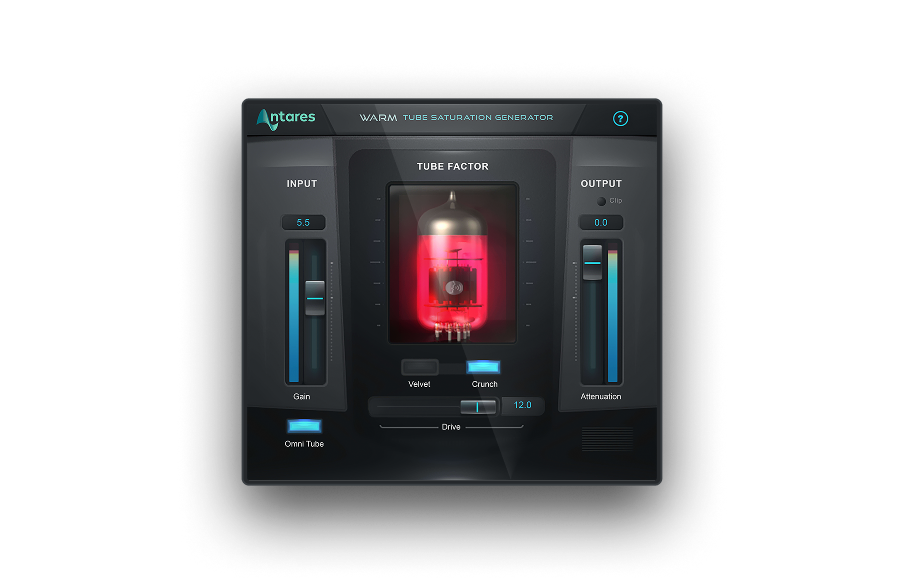
Warm
Analog Tube Saturation Emulator
What Are Kinds of Creative Distortion?
There are different ways to create distortion voluntarily for creative purposes. Adding a gain boost to the audio signal causes clipping, which producers try to avoid, but it might sound good when applied in small doses. Another form of creative distortion is changing the audio's sample rate to achieve a lo-fi sound effect.
Here are six ways to include distortion in your future projects.
Overdrive
Overdrive effects boost the gain of your audio enough to add distortion, but not enough that would cause clipping. This effect is often found on guitar amps, and is the classic distortion of the electric guitar. It makes the sound louder with a tender and mild distortion.
Some people refer to overdrive as a “dirty” sound effect. In digital music production, you can use overdrive plugins to emulate the sound of the guitar amp's tone and make your music louder without clipping.
Clipping
While all music producers and engineers avoid unwanted audio clipping at all costs, clipping is an effect that can be used to add certain sonic features that might suit your creative needs.
In any DAW, you can see your mix's volume meters to keep it within the limit and add a subtle distortion. If you go beyond zero, your distortion will shift from creative to unwanted distortion, which will compromise your piece.
Start applying distortion slowly and increase it gradually. With clipping, you must be extra careful and always check your levels after adjustments.
Tape Saturation
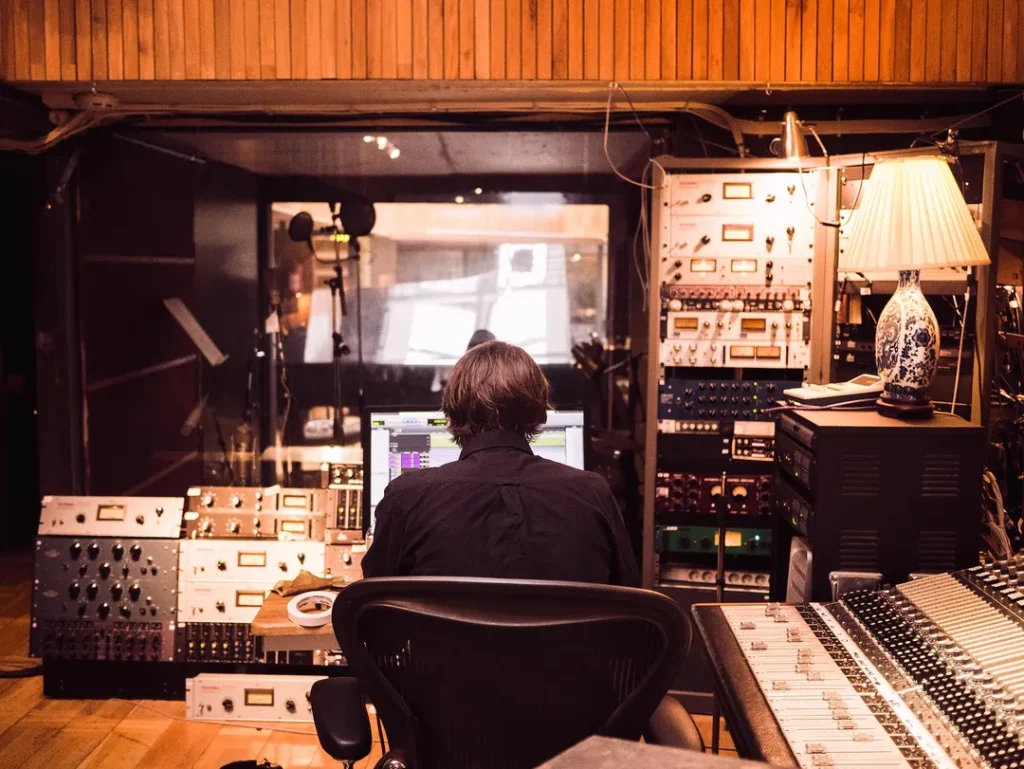
Have you ever wanted to recreate that typical tape sound? When music was recorded with tape machines, the recordings could be affected by saturation: a phenomenon that occurs when an audio signal is overloaded, causing a distortion with a certain warmth.
Listening to recordings from a tape machine may seem low quality for many compared to today's recording technology; however, there's something nostalgic and magical to it that many producers love to add to their music.
Tape saturation is still popular today, thanks to tape saturation plug-ins. Producers use them to add a touch of nostalgia to a piece of music, or to enhance the sound of virtual instruments to make them sound raw and more authentic without the struggles of recording on tape.
Tube Saturation
Another way to emulate old-school distortion is through tube saturation. Valve amps and mics create a distortion that many people still love. Nowadays, getting all the gear to record and use that unique effect is very expensive, not to mention the tubes eventually burn out, and will require maintenance.
Luckily for us, some plug-ins nowadays can replicate that tube saturation perfectly. If you're aiming at recreating the vintage effect that made many recordings legendary, try the unmistakable sound effect of Warm. Warm provides accurate emulation of the iconic tube sound: with tape saturation, you can experiment with a diverse range of distortion to add a distinctive and timeless sound to your recordings or digital instruments. You can get Warm individually or with an Auto-Tune Unlimited subscription.
Amping
Another way to get distortion is with amplifiers, which are an excellent solution for electric and bass guitars. Amps alter the sound simply by making it louder, thus reaching clipping levels and distorting the sound.
Most amps come with several knobs to adjust the volume of your instruments and other settings. Setting the amps knob levels in specific combinations, you can create a distorted sound, reshaping the input sound directly from the device.
Bit Crushing
The remarkable effect of bit crushing is the final solution to add creative distortion to your sound. It's a rather peculiar effect that, as its name suggests, crushes and squeezes the bit depth and sample rate of your audio. It reduces the sample rate and removes parts of the audio signal that were recorded.
When you record audio, your analog-to-digital converter captures that sound and converts it to digital bits in the most accurate way possible. With bit crushing, that accurate representation of the audio will be affected and transformed into a lo-fi sound.
Are you trying to make lo-fi music? Then bit crushing will become an irreplaceable addition to your workflow. Besides lo-fi, chiptunes, and old-school video game music, bit crushing is often used in electronic music and dubstep.
Final Thoughts
Take your time to explore the endless opportunities distortion offers to expand your sound, and remember that, as with most effects, sometimes less is more.
Good luck, and stay creative!

Exclusive AutoTune Content
Warm

AutoTune Unlimited

AutoTune 2026 and Metamorph
Now Included

Antares Editorial
Antares is a leading developer of software for music recording and live performance. For over 20 years, Antares has powered the music of top-charting and indie artists with products including the industry standard for pitch correction, AutoTune™.