
Regardless of your career stage, entering the recording studio without a reference track can prevent you from achieving the sound you envisioned.
Think about this: imagine you want your new track to have an '80s vibe. That'll require a set of analog, digital, and post-production effects that will alter the raw recordings considerably. If your production team is unaware of your desires, they might opt for a more modern atmosphere with pumped-up basslines and pristine sounds. So, instead of a Eurythmics-style song, you end up with a Skrillex track!
This is why it's crucial to spend some time defining the style we aim for and share our views with the people helping us create our music. In this article, we'll look into choosing a reference track based on our needs and vision.
What Is A Reference Track?
A reference track is a song you love, used as a comparison when producing or mixing a new piece -It's the song that has a sound you aspire to. During the recording and post-production process, listen to your reference tracks and compare them with your work to see how you could improve them.
Having a reference track will help cultivate your creative vision. It's not intended as a strict blueprint you must follow blindly, but as a tool you can use to help you make creative decisions and achieve a desired outcome. Ultimately, creative decisions should be in the hands of the artist and the producer, not the reference track.

Why Should You Use A Reference Track?
There are several reasons why you might use a reference track when producing or mixing music:
- To achieve a professional-sounding mix: you want to listen to the reference track in your studio so you can understand what a good mix sounds like in your mixing environment. By comparing your mix to a professionally produced and mastered reference track, you can identify issues that need to be addressed, such as uneven levels, frequency imbalances, or poor stereo imaging.
- To achieve a specific sound or style: reference tracks can also be used to obtain a particular style. For example, using a Romeo Santos song as a reference can help you achieve that style if you're trying to create a Bachata mix.
- To train your ears: by listening to a reference track and comparing it to your own mix, you can train your ears to identify issues better and make more accurate adjustments.
- To serve as a reminder of your creative vision: it gives you an overall direction for the song, keeping you focused during the production process and serving as an inspiration in case your creativity runs dry.
How To Choose The Reference Track
Although there aren't any universal reference songs that will work for all genres, here are the most important things to consider when choosing a reference track:
- Genre and era: if you produce lo-fi hip-hop, your reference track can't possibly be a dubstep piece.
- Sound and production quality: we won't bore you with the technical reasons why you should not use bad quality songs (like those old vinyl records, live versions, squashed mashups, you get the idea). Choose a reference with a sound and production quality you want to emulate. It's an opportunity to elevate your music to its highest potential and get the best sound possible.
- Personal taste: it's also essential to choose a song you like as your reference track. Using a reference track that you don't like, even if it has the perfect sound, can be counterproductive as it may discourage you from pushing yourself creatively.
Multiple reference tracks can be used for different aspects of the production. Using a combination of different reference tracks instead of relying on one can lead to a more authentic and unique piece of music.

How To Use Reference Tracks In Music Production
Start With Ideas
Reference tracks can be useful for inspiration and ideas for your music. Here are a few ways you can use reference tracks to get fresh ideas:
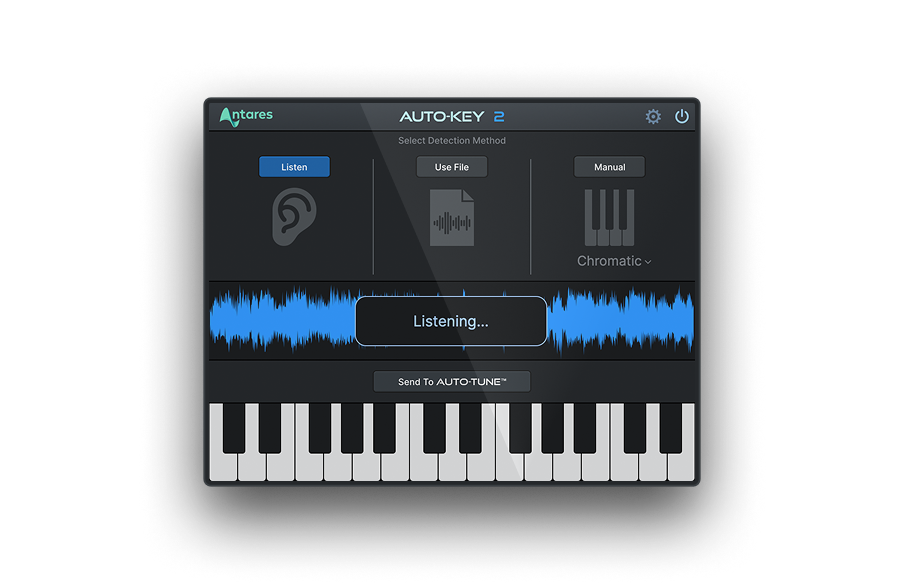
- Listen to the melody and harmony: consider how different melodies and harmonies are used to create tension, release, and emotional impact. Identify key modulations, chord progressions, and motifs that you find interesting. Or go for the hassle-free option and get it done faster with Auto-Key! Our key, chord, and scale detection plug-in can simplify your workflow and magnify your production skills, helping you focus on what matters the most: your creativity.
- Take inspiration from the overall vibe: The reference track might have a particular atmosphere that you find inspiring, whether it's the tone or the emotions it conveys. Pay attention to the elements that create that vibe, and think about how to replicate them in your music.
- Look for things to do differently: once you've spent time listening to the reference track, try to find elements you want to do differently. After all, you want to create your own style!
Reference Tracks For Sound Design
Listen closely to each individual element in the reference track, such as the vocals, drums, synths, and other instruments. Note how these sounds are created, processed, and balanced in the mix. Identify any sounds that you find interesting, and consider how you might include them in your music.
Analyse the effects used: Listen to the different effects, such as reverb, delay, and distortion. And pay attention to how the reference track is processed during post-production using EQ, compression, and saturation.
Remember to experiment with different sounds, be creative, and be bold. One of the best ways to create unique pieces of art is to combine different sounds and elements together.
Check out The Basics Of Using High-Pass Filter In Your Mix to learn more about the best mixing techniques.
Reference Tracks For Song Structure
Study the song structure: Study the song structure of the reference track, such as the arrangement of the verses, choruses, and bridges. Consider how the reference track builds and releases tension and how the different elements come together to create a cohesive whole.
Reference Tracks In Mixing
Listen closely to the overall balance of levels, panning, effects, dynamics, and frequency, and compare them to your mix. Use tools such as an RMS metre, spectrum analyzer, or EQ to identify issues in your mix and make adjustments accordingly.
Reference Tracks In Mastering
Using reference tracks during the mastering session can help you achieve a similar overall loudness and tonal balance to a professionally produced and mastered track. Check out How To Mix Music Like A Pro to learn more.
Also, in this case, it's good practice to use multiple reference tracks in different genres or styles to compare. This way, you can ensure that your master will have a broader range of compatibility with different types of music and be more accessible.
Get The Most Out Of A Reference Track: Our Advice
There are several key areas to consider when using a reference track and recording music.
- Compare the levels of each instrument to the corresponding elements in the reference track.
- Compare the panning to help you achieve a similar stereo image. Pay attention to the position of each component in the stereo field, such as the lead guitar, vocals, drums, and any stereo effects.
- Compare the effects and pay attention to reverb, delay, and other spatial effects. Try to emulate the same types of effects and use similar settings, such as decay time and wet/dry mix.
- Compare the overall dynamic range. Ensure that your mix has a similar balance between loud and quiet and that elements are balanced and manageable.
- Compare the frequency balance and use a plug-in such as a spectrum analyzer or EQ to identify any frequency imbalances in your mix. Check the low-end, midrange, and high-end.
Especially at the early stages of your creative process, using a reference track is a great way to improve your workflow and define objectives. However, in the end, let your music, ears, and experience guide you toward the perfect sound for your song.
Good luck, and stay creative!


AutoTune Unlimited
The Ultimate Vocal Production Suite

Exclusive AutoTune Content

AutoKey

AutoTune Pro


AutoTune Unlimited

AutoTune 2026 and Metamorph
Now Included

Antares Editorial
Antares is a leading developer of software for music recording and live performance. For over 20 years, Antares has powered the music of top-charting and indie artists with products including the industry standard for pitch correction, AutoTune™.